
What is CMS Website Building? Separate Content and Presentation, and You'll Understand Why It Saves Technical Manpower
Many small and medium business owners view "CMS website building" as just a vague technical term, but it actually solves a very practical problem: updating website content yourself without knowing how to code. This article breaks down the operating mechanism using four numbers—1 backend, 2-layer separation, 3-layer structure, and 0 lines of code—to explain how a CMS works, who it is suitable for, and when it falls short, helping you decide whether your foreign trade website should be built with
目录
- 1 backend manages all content: CMS turns "website editing" into "filling out forms"
- 2-layer separation: Content and templates operate independently, change one without breaking the whole site
- 3 layers is the limit for category depth: How CMS website building affects Google indexing
- 0 lines of code is not a panacea: When a CMS is not enough
- What to look at next after figuring out CMS
CMS stands for Content Management System. Its operating mechanism can be summarized in one sentence: it splits website content and presentation into two layers, with content stored in a database and presentation handled by templates.
Every time you edit an article or upload a product image in the backend, you are actually writing a record to the database. The pages seen by front-end visitors are pieced together in real-time as the template pulls content from the database. This mechanism sounds simple, but it directly answers one question: do you really need to hire a programmer every time you update your website?
1 backend manages all content: CMS turns "website editing" into "filling out forms"
In the era before CMS, changing a phone number meant opening an HTML file, finding the corresponding tag, editing it manually, and uploading it back to the server. Changing 5 places required touching 5 files, and missing one would cause an error.
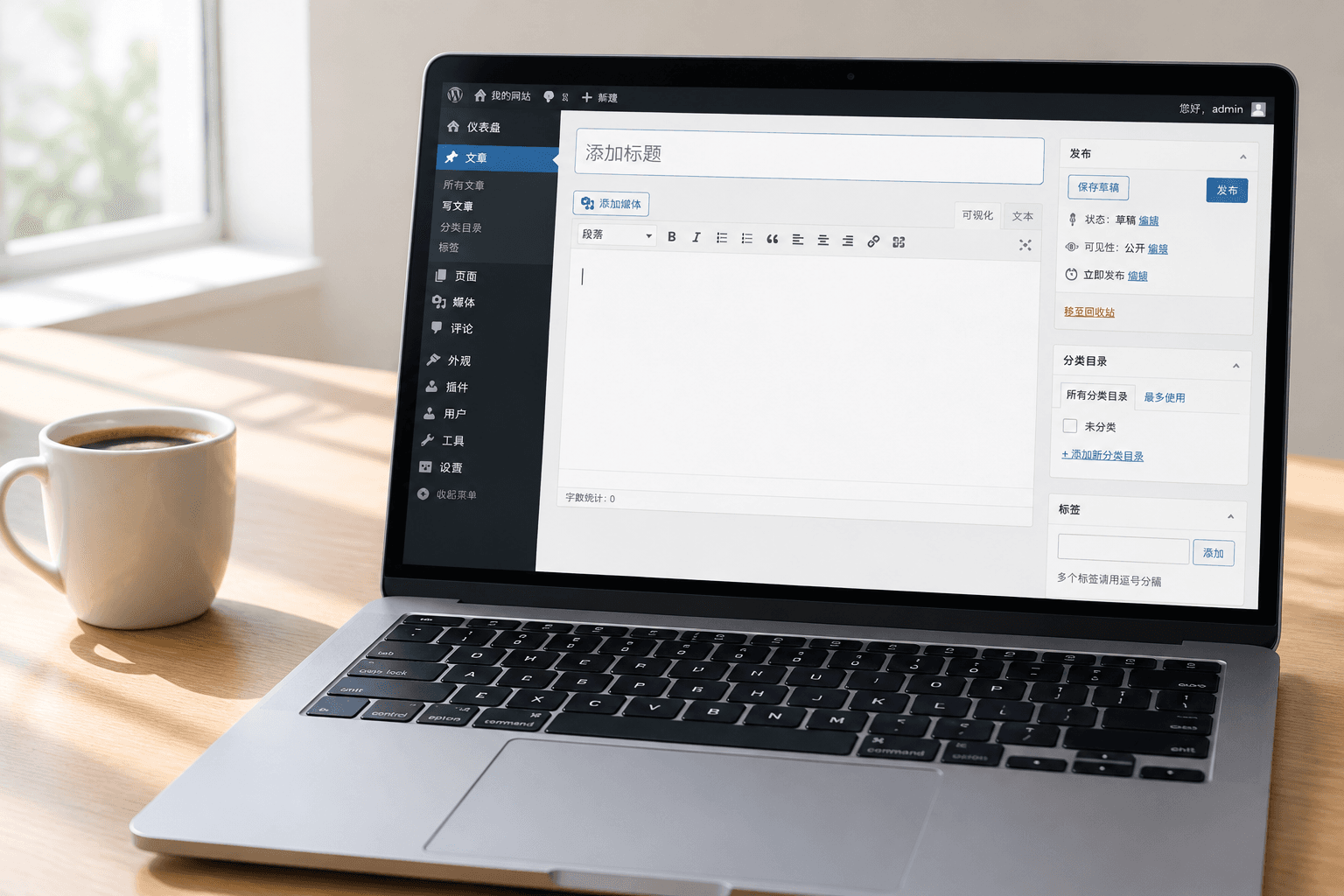
CMS changed this process to: log in to the backend -> find the corresponding field -> edit -> click publish. The whole process is essentially no different from posting on social media.
According to official WordPress documentation, WordPress is one of the most widely used CMS platforms globally, and its backend editor is essentially a structured form. The titles, body text, images, and categories you enter are all saved in the database as data records, while the front-end template is responsible for rendering them into web pages.
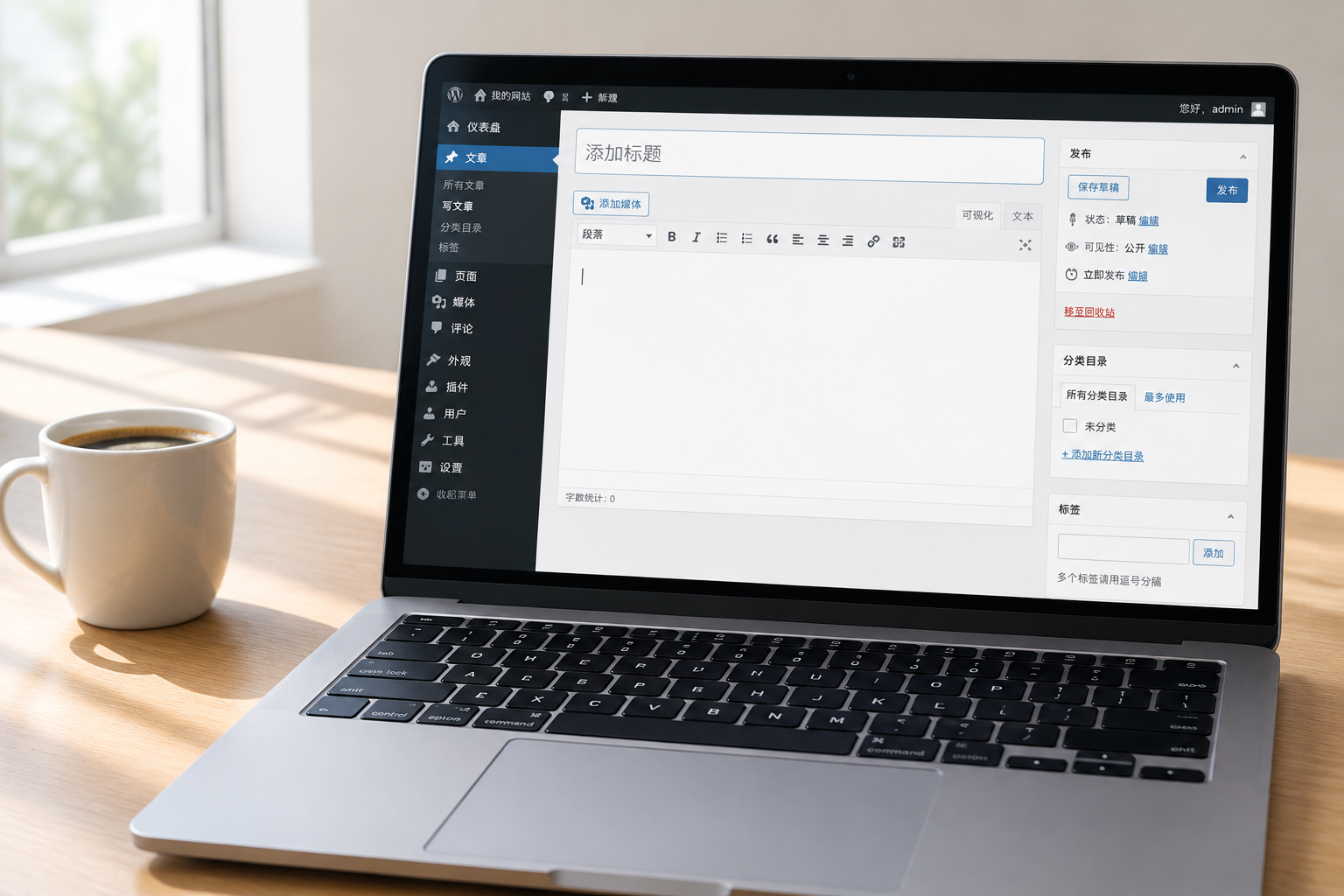
For export and foreign trade enterprises, this means: sales reps publishing a new product introduction or operations staff updating a company profile don't need to wait for technical staff schedules. A single backend portal manages all content across the entire site.
2-layer separation: Content and templates operate independently, change one without breaking the whole site
The core architecture of a CMS is 2-layer separation, which is also its fundamental difference from purely hand-coded HTML sites.
The 1st layer is the content layer: your product descriptions, company profile, news articles, and inquiry form configurations are all stored in the database, completely independent of how the page looks.
The 2nd layer is the presentation layer: the template (theme), which determines fonts, colors, layouts, and animations, without touching the content itself.
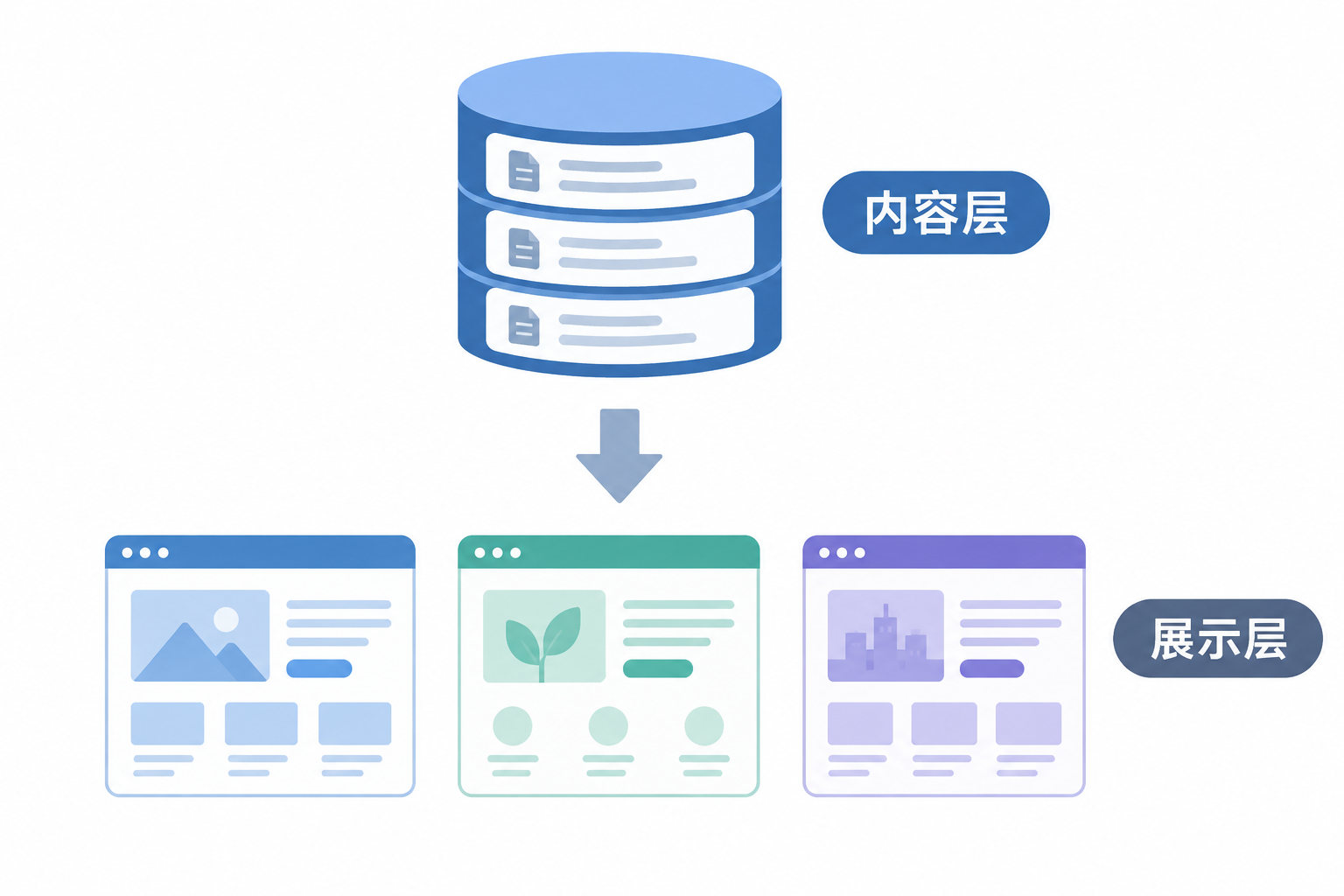
What does this mean? If you want to change your website's visual style, you only need to swap the template without re-entering a single piece of content. Conversely, if you want to add 10 products at once, you don't need to touch any design files—just batch-fill the form in the backend.
This separation mechanism also brings another advantage: multilingual expansion becomes feasible. With the same template, attaching different language content packages allows you to output English, Spanish, or Arabic versions. The CMS content site solution we previously wrote about is built on this very logic.
3 layers is the limit for category depth: How CMS website building affects Google indexing
Here is a point that many business owners easily overlook: while a CMS makes publishing content easier, your website structure will quickly spin out of control if you build categories and pile up pages without planning. Once the structure is out of control, Google crawlers cannot crawl your deep pages, and indexing will suffer.
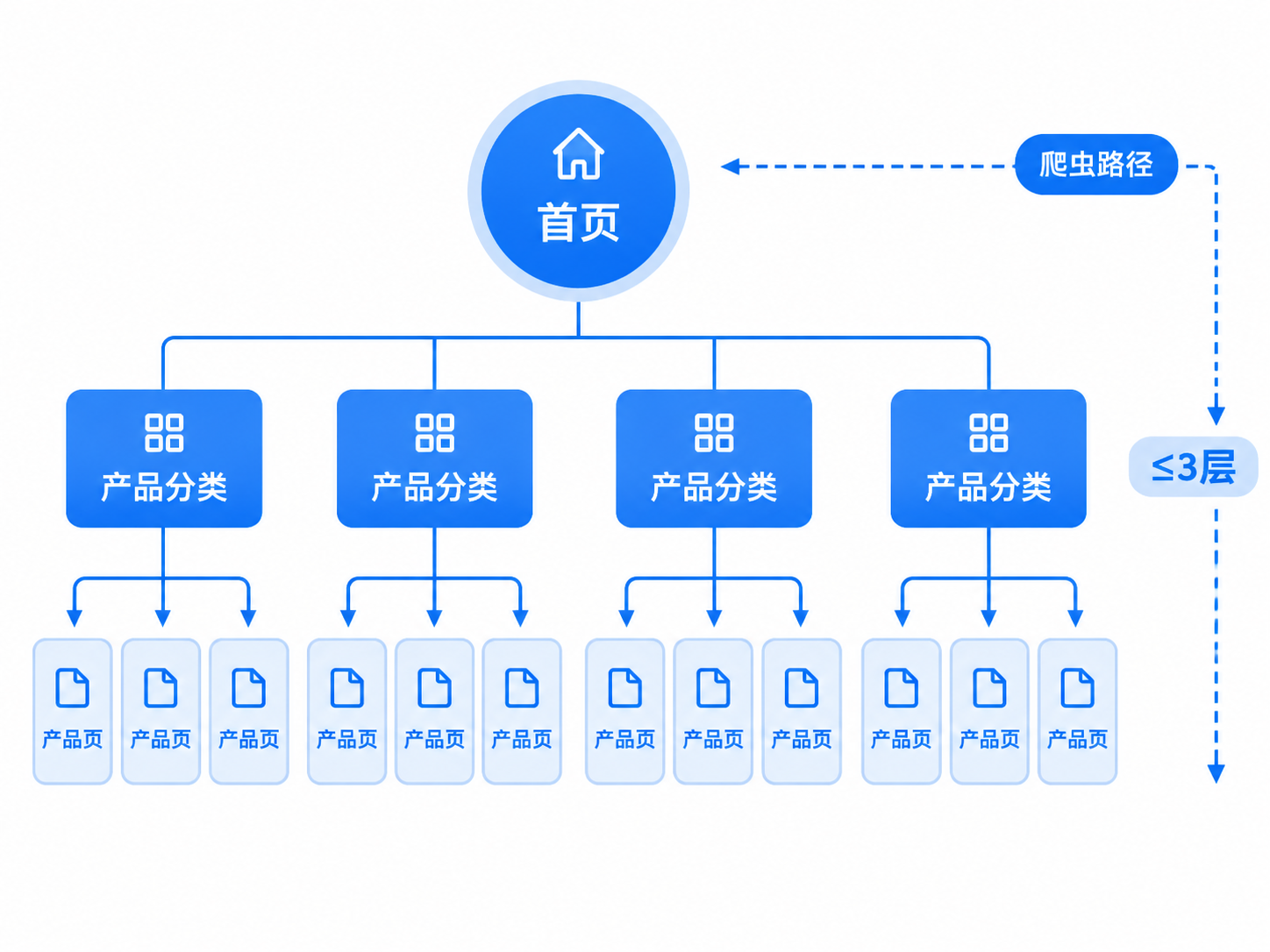
According to recommendations from Google Search Central documentation regarding website structure, keep the hierarchy to a maximum of three levels, and keep important pages close to the homepage. Specifically: Homepage -> Product Category -> Product Detail Page. This is three layers, and crawlers can reach it in two jumps. If you add another layer of "sub-categories," it becomes four layers, and the probability of deep pages being crawled and indexed drops significantly.
Additionally, internal link anchor text should be diverse and semantically relevant. Using the exact same word for anchor text across the entire site is equivalent to telling search engines that you only have one keyword. When building content clusters, using a hub page (such as a product overview page) to link to and from sub-pages is much more effective than scattering links randomly. Avoid orphan pages—any article or product page should have at least one link pointing to it from another page.
In the CMS backend, these structures are usually implemented through breadcrumb navigation, related articles modules, and sidebar category lists. When choosing a CMS, check whether it natively supports these structural outputs rather than relying entirely on plugins. If you use an open-source website building solution like WordPress, mature plugins are available for breadcrumbs and hierarchy management; if it's a custom CMS, structural rules must be written into the development phase.
0 lines of code is not a panacea: When a CMS is not enough
A CMS solves the problem of "daily content updates without writing code," but it has boundaries.
If you need to integrate with internal ERP systems, handle complex cross-border multi-currency payment processes, or implement highly customized product parameter filtering logic, a pure CMS might fall short. In such cases, secondary development on top of the CMS or a fully custom solution is required.
The evaluation criterion is simple: are your needs "frequent content updates" or "implementing complex interactive logic"? The former is fully covered by a CMS, while the latter requires assessing whether it exceeds CMS capabilities. Specific quotes are evaluated based on requirements and details will be provided within 1 business day after submission.
What to look at next after figuring out CMS
What a CMS is and how it works has now been broken down. Moving forward, it is recommended to continue in two directions:
First, selection: should you use an open-source CMS like WordPress, a SaaS hosted solution, or go custom? This depends on your budget range, update frequency, and functional complexity. You can start with a horizontal comparison of website building methods and platforms to solidify your selection step.
Second, structure implementation: once you decide on a CMS, how to divide categories, how to keep page hierarchy within three layers, and how to use hreflang for multilingual cross-referencing. These determine the foundation for your subsequent Google SEO efforts, and it is recommended to plan them before building the site rather than reworking it after launch.