
Clarifying WordPress "Rapid Construction": Fast Installation Doesn't Mean Fast Launch
Many foreign trade owners think WordPress is fast, assuming they can start receiving inquiries the day after installation. In reality, WordPress is only fast at deployment; content and SEO have their own timelines. This article uses 3 real-world metrics to clear up the boundaries of "fast," while highlighting common pitfalls with hreflang and localization to help you decide if WordPress is right for your site.
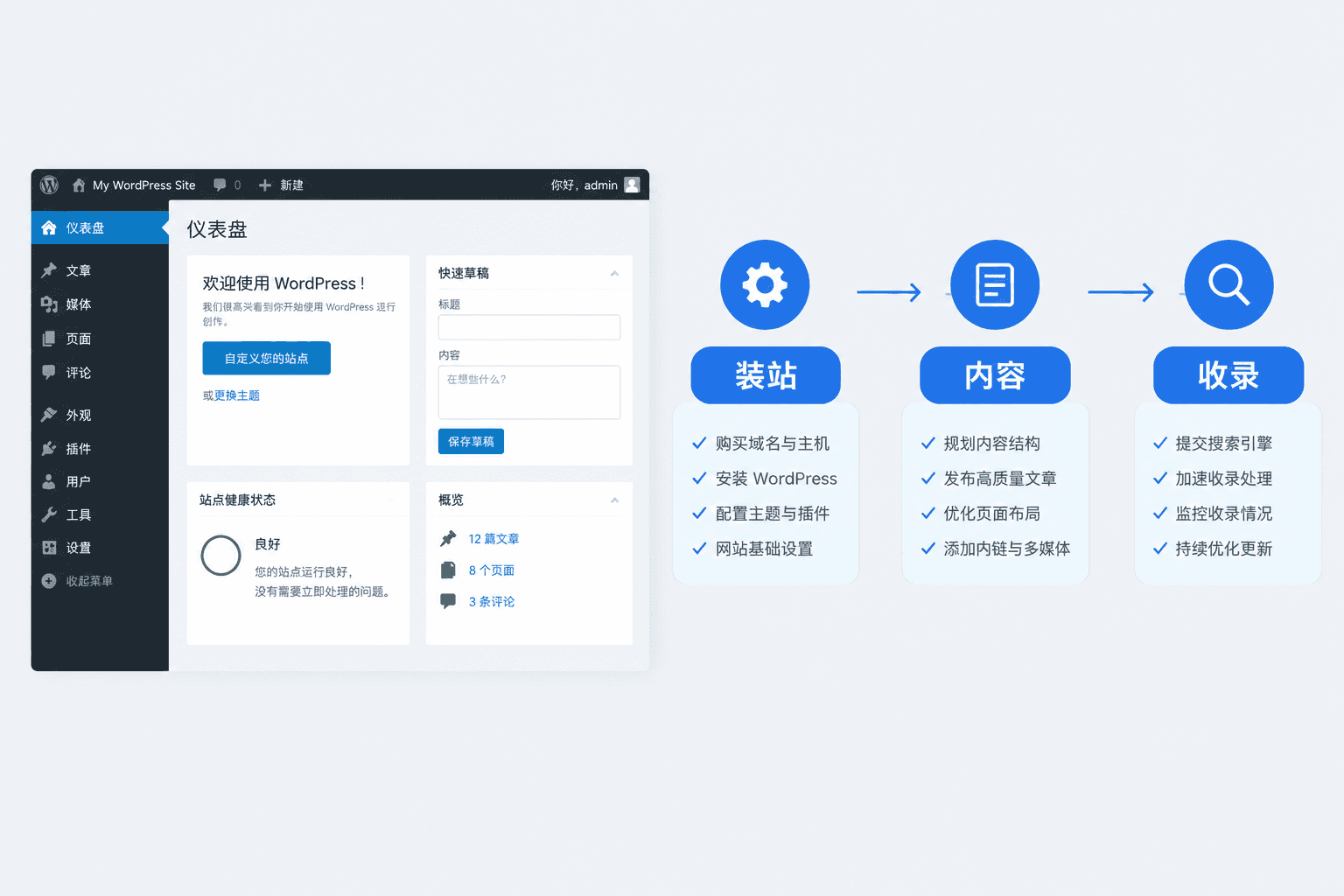
"WordPress is for rapid website construction" — this statement is only half true.
Many foreign trade business owners hear this and assume that if they install the software today, the site will be ready to receive inquiries tomorrow. In reality, WordPress is only "fast" at the initial step of getting the software up and running; content population, multi-language adaptation, and Google indexing each have their own timelines. Equating "fast installation" with "fast launch" is the most common misjudgment in the foreign trade industry.
For example: A hardware factory manager installed WordPress on Monday and was already asking on Tuesday, "Why can't Google find me?" He skipped essential steps like content population, sitemap submission, and structured data configuration, resulting in his site sitting outside the index for nearly a month.
3 Numbers to Clarify Where WordPress is Actually "Fast"
Here is the conclusion: WordPress compresses the technical deployment time, not the total delivery time of the website.
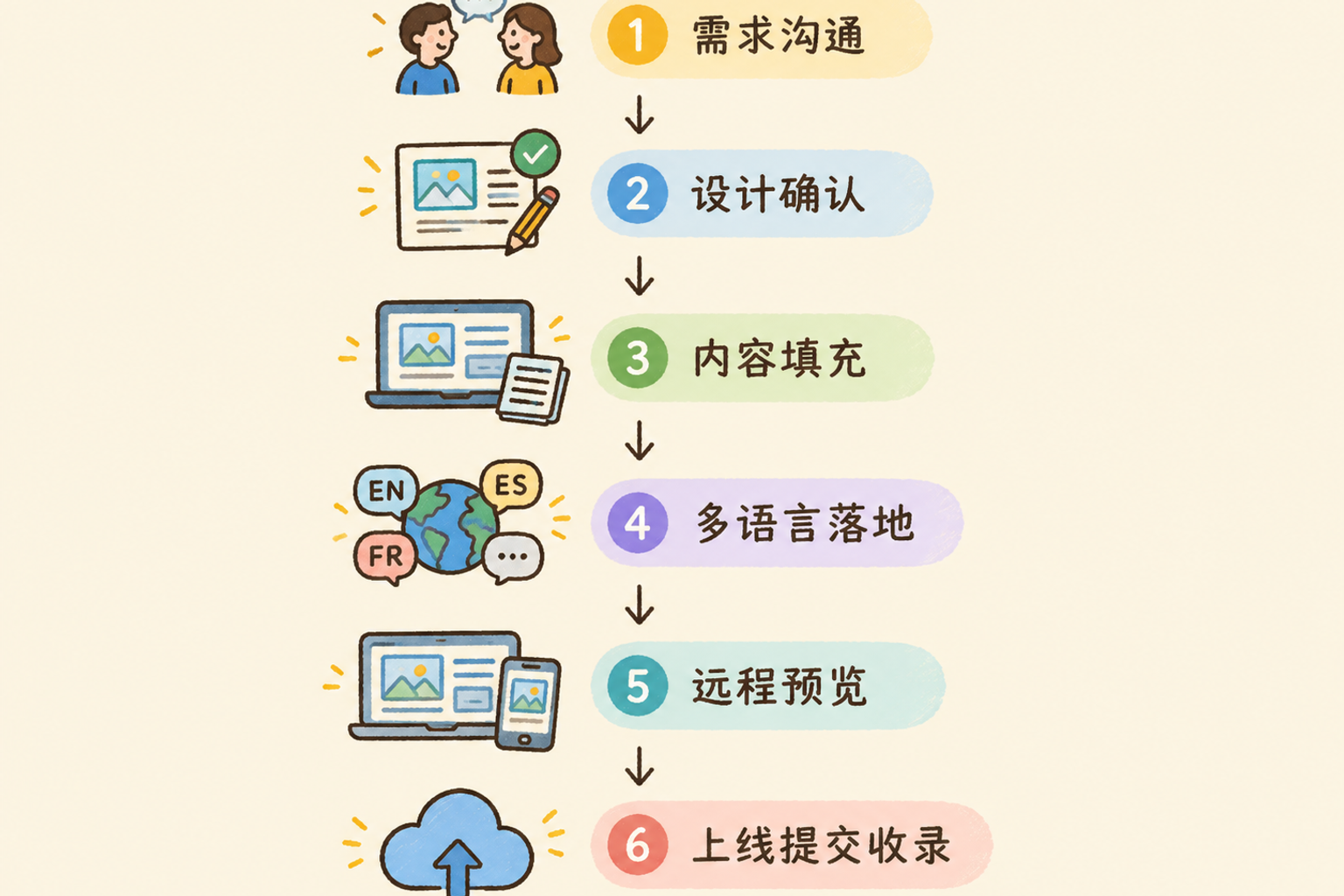
The first number is 5 to 15 working days. This is the typical timeframe for a standard corporate independent site from requirements confirmation to launch. WordPress can indeed compress the "framing" stage, but column planning, product data organization, copywriting, and inquiry form configuration—none of these steps can be skipped.
The second number is 7 to 25 working days. Once multi-language and e-commerce modules are involved, the timeline extends. The reason is simple: for every additional language, content is not just a copy-paste job; hreflang tags, canonical links for each language, and localized terminology must all be verified one by one.
The third number is 1 working day. This is the speed at which you receive a detailed quote after submitting requirements. Note: the "quote response" is fast, but the "website delivery" is not. Many service providers market fast quotes as fast construction, but these are two different things.
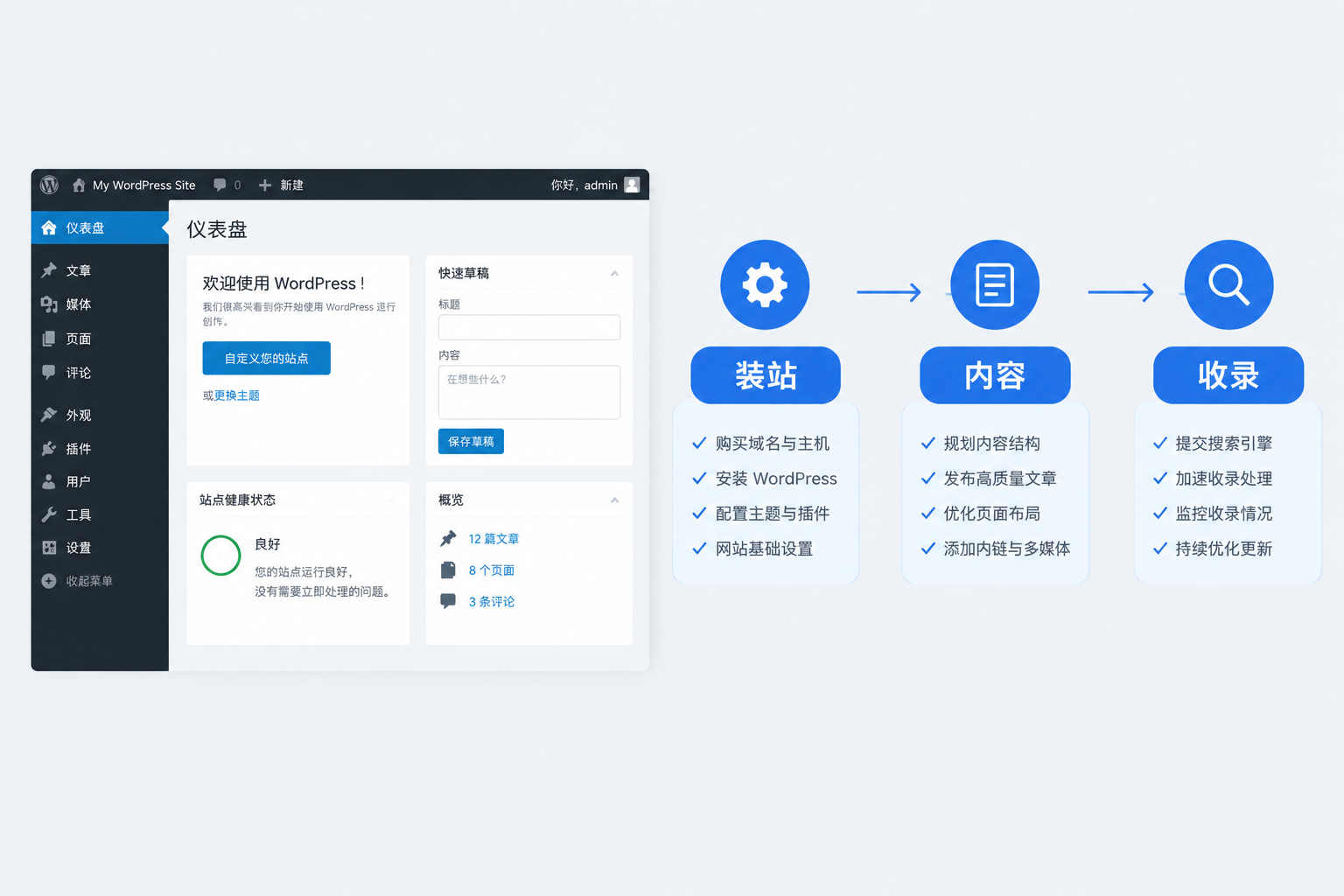
To ask a question: Is WordPress considered a "rapid website construction" solution? Yes, but only if your definition of "fast" refers solely to software deployment. If what you want is a "foreign trade site that generates inquiries," its speed depends on the level of preparation for content and conversion, not on which CMS you use.
Multi-language is More Than Just Installing a Plugin
Recently, a client asked while inquiring about WordPress multi-language solutions: "If I install a WPML plugin and translate with one click, is that it?"
No. Let's correct a common misconception about "multi-language websites." A real multi-language site isn't just about translating Chinese into English; it must pass at least three hurdles:
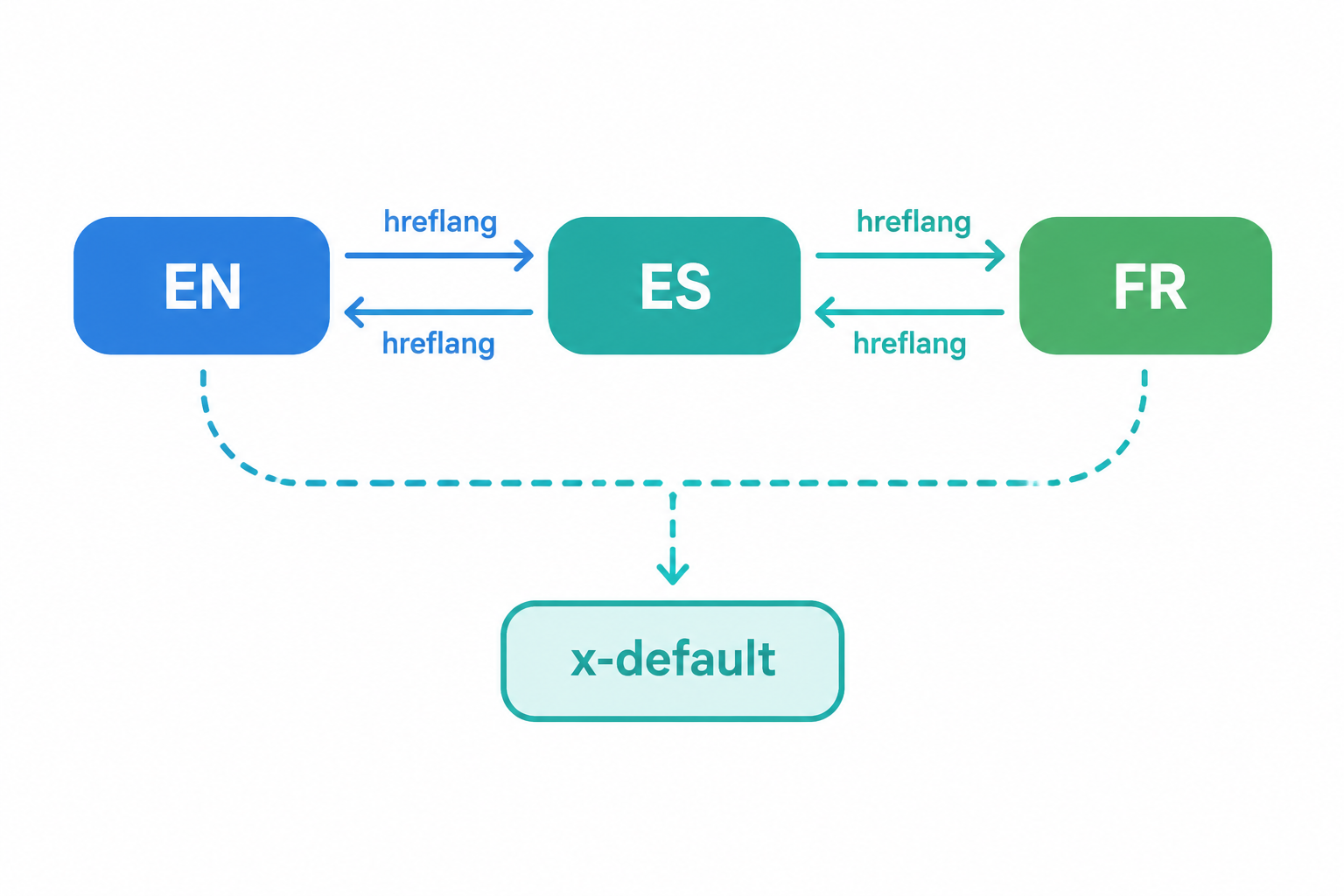
First: hreflang and canonical pairing. Every language version must declare its language and target region, and use canonical tags to tell Google "where the authoritative version of this page is." If misconfigured, your rankings may suffer from duplicate content, or Google may ignore your secondary language pages entirely.
Second: Do not replace hreflang with auto-redirects. Some WordPress themes perform 301 redirects based on browser language, which is very unfriendly to search engines. The correct approach is to give each language version an independent URL, point them to each other via hreflang, and add an x-default tag as a fallback.
Third: Localization is not just translation. Differences between British and American English, units of measurement (inches vs. centimeters), currency symbols, and sizing systems must change according to the target market. Translating text without localization is essentially doing nothing.
For example: A home storage factory should use the American spelling "organizer" for their English site, but use "organiser" for their UK site; product dimensions should be labeled in inches for the US and centimeters for Europe. If these details aren't handled, conversion rates will suffer.
The Time-Consuming Parts of WordPress Aren't the "Installation"
When you break down the full cycle of building a WordPress site, three areas really consume time:
First, content asset preparation. Product images, parameter tables, factory photos, and brand stories—if these materials aren't ready, the site is just an empty shell regardless of how fast you install the software. Many projects get stuck on "waiting for the client to provide materials," which can drag on for weeks.
Second, basic SEO structure. Sitemap generation and submission, robots.txt configuration, structured data (JSON-LD) tagging, and URL hierarchy planning cannot be solved once and for all by a single plugin; they require verification based on actual page needs.
Third, conversion path building. Designing inquiry form fields, embedding online communication tools, and planning the flow between landing pages and product pages determine exactly "what the visitor does next." Regarding whether you can edit content yourself after launch, you can refer to the article Can I modify the website myself after it's finished?, which outlines the boundaries of backend operations.
If you are comparing different website construction methods and platforms, the advantage of WordPress lies in its flexibility and control, but the trade-off is the need for someone who understands structure and SEO configuration. It is not the "fastest" option, but it is the option with the "highest ceiling."
Finally, a piece of advice: If you want to dive deep into WordPress's officially recommended multi-language and SEO configuration standards, refer directly to the WordPress.org Codex documentation and the Google Search Central multi-language guide. These are primary sources and are more reliable than any secondary tutorial.
If you are unsure whether your product line and target market are suitable for a WordPress independent site, conduct a free needs assessment first. Clarify your language requirements, product SKUs, and conversion goals before deciding on a solution. It's much cheaper than installing a site blindly.