
Is External CSS Blocking Google Indexing? 3 Steps to Troubleshoot Render-Blocking External Stylesheets
External CSS might seem like a front-end matter, but it directly impacts Google indexing. We've worked on many foreign trade sites where page content looked normal, but search results showed only titles without snippets. Troubleshooting revealed that external stylesheets were blocked by robots or loaded too slowly, leading to incomplete Google rendering. You don't need to know CSS syntax to check this in 3 steps: check if robots mistakenly blocks CSS, confirm external CSS quantity and load statu

We once built an overseas trade machinery website. Two weeks after launch, the homepage content looked normal, but Google Search results only showed a bare title with no snippet. After troubleshooting for quite a while, we finally tracked it down to an external CSS file blocked by robots.txt.
This discovery wasn't complicated, but it's very valuable for many business owners who don't understand technical details: External CSS isn't just a front-end matter; it directly determines whether Google can render your page completely.

Why External CSS Affects Indexing
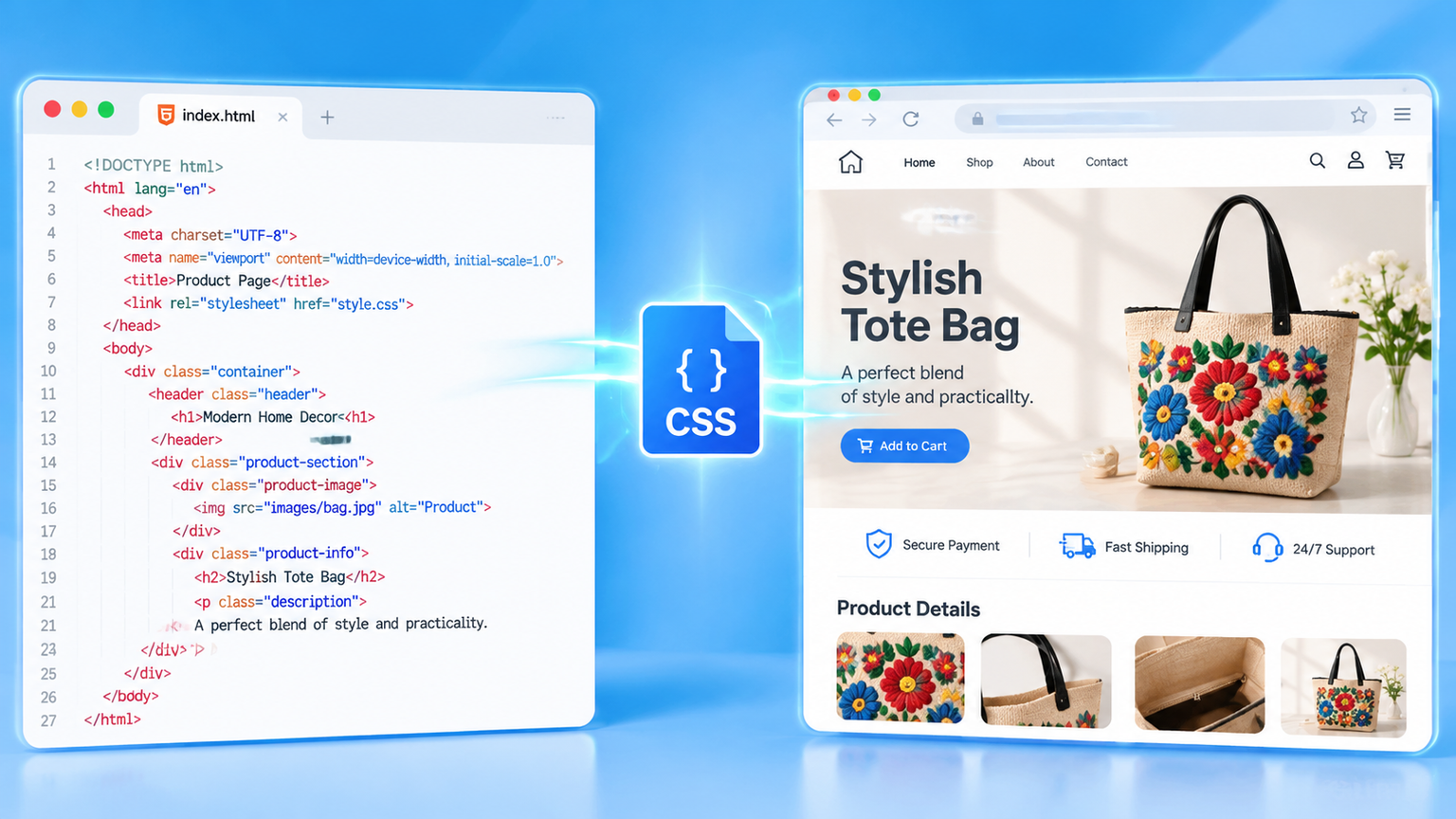
We can divide webpage styles into three types: inline styles written directly inside tags, internal styles written within the page header, and external CSS referenced via a link tag to a separate .css file. The benefit of external CSS is global reusability and reduced duplicate code, but it comes with a side effect: browsers and Google crawlers must finish downloading this file before they can render the page.
Google's official documentation clearly states in its crawling and rendering guidelines: Do not block CSS and JavaScript files with robots.txt. Once blocked, Google can only crawl bare HTML without styles. The page structure, content hierarchy, and even some dynamically loaded text won't appear. When troubleshooting indexing optimization, this is one of the most common issues we encounter.
The second common issue is having too many external CSS files. When a page references a dozen CSS files, every render requires queuing up for downloads. Google's crawler has its own rendering budget—a concept officially referred to as the render budget. Translated into plain terms: the rendering resources Google allocates to each page are limited. Every additional CSS file consumes a bit more of that budget. If it waits too long, it cuts the crawl short, and the content it captures is only half-baked.
There is also a more hidden scenario: excessively long CSS loading times. We've checked the CDN configurations of some foreign trade sites where CSS files were hosted on overseas nodes. While slow loading within China is understandable, Google's crawler was also slow when accessing from US nodes, indicating an issue with the file itself or server response. Incompletely rendered pages aren't usually left unindexed; rather, they are indexed very slowly and fragmentedly.
3 Steps to Troubleshoot If External CSS Is Dragging Down Indexing
You don't need to know how to write front-end code to follow these steps. Whenever we diagnose indexing issues for clients, we follow this exact sequence.
- Check if robots.txt is mistakenly blocking .css files. Type your domain name followed by /robots.txt into your browser's address bar to see if any Disallow rules are blocking the CSS directory or .css extensions. Google explicitly states not to block CSS; if you find related rules, delete them and resubmit.
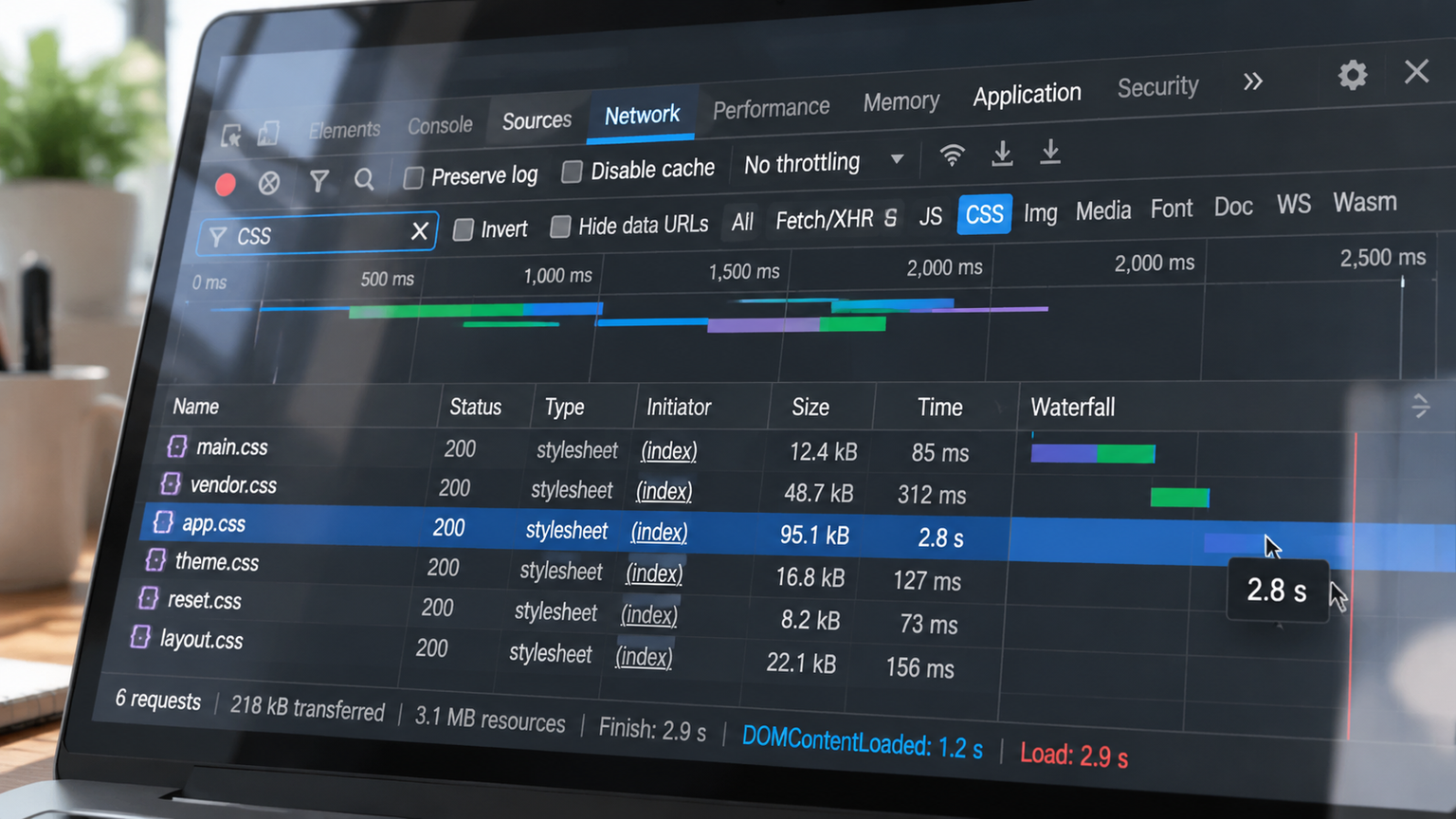
- Confirm the loading status and quantity of external CSS. Open the page in your browser, press F12 to open Developer Tools, and filter for CSS in the Network panel. Pay special attention to three categories: files with excessively long load times, files returning 404 load failures, and pages with an overly high total number of requests. All three can easily slow down rendering.
- Extract and inline critical above-the-fold styles. The "above-the-fold" area is what users and Google see first. Extract the background, font, and layout styles used above the fold into a small <style> block inside the HTML, and keep the remaining external CSS linked as usual. This way, even if the external CSS is a bit slow, the core content can render first, making indexing much more stable.
By completing these three steps, most foreign trade websites will see changes in their indexing status within two weeks. If you've previously paid attention to building independent sites from China: launching a website doesn't mean Google will index it, CSS is often one of the overlooked bottlenecks.
What to Watch Out for After Fixing External CSS
Don't rush to make all changes in a single day. We generally recommend proceeding in two phases: first, fix robots blocks and 404 files, which is a zero-risk operation; second, handle CSS combination and inlining. After making changes, use the URL inspection tool in Google SEO to verify the rendering results.
Never reverse this order. Solve whether the page can be crawled first, then optimize how fast it gets crawled. We once encountered a site where the team immediately started combining CSS without checking robots first. Since the blocking rule was still active, combining the files only buried the error deeper.
Conclusion: The core reason external CSS affects indexing isn't syntax errors, but the fact that it stalls Google's rendering process. As long as .css files aren't blocked, don't time out during loading, and render above-the-fold styles first, indexing anomalies will drop significantly.
The next things worth looking into are two other indexing bottlenecks outside of CSS: JavaScript dynamic rendering and structured data configuration. We'll dive deeper into these two items in our next article, or you can browse related content under the Foreign Trade SEO & Promotion section.