
"Just bookmark the FOB Business Forum website" — The old content on your site won't update itself
You search for the FOB Business Forum website to find foreign trade operational info, but forum posts go out of date, and your own website's product and blog pages are quietly expiring too. This article breaks down 4 content management pitfalls with a pitfall-avoidance checklist, provides a decision table for updating, merging, deleting, and 301 redirects, and ends with 4 self-test questions to help you gauge your site's content health.

目录
- Pitfall 1: Treating old forum posts as current operating guides
- Pitfall 2: Never looking back at your own website's content after launch
- Pitfall 3: Rankings drop, and you don't know whether to update, rewrite, or just delete
- Pitfall 4: New and old content competing with each other for rankings
- Self-Test: Which stage is your content management at?
Let's set the scope straight first: this is not a navigation post for the FOB Forum. If you are looking for the FOB Business Forum website, just type fobshanghai.com in your browser; you don't need me to show you the way. What I really want to talk about is the problem you'll run into once you get there—whether the methods in those posts from 2019 and 2021 still work, and how the content on your own website is experiencing the exact same "expiration."
In our work with foreign trade SEO and promotion, we are used to treating content freshness as part of site health. Forum posts will go out of date, and your product pages and blog pages will too. The difference is: no one maintains the forum for you, but you have to take care of your own site.

Pitfall 1: Treating old forum posts as current operating guides
Phenomenon: You follow a 2020 post to set up a platform parameter, only to find the entry point changed long ago; or you look for a tool recommended in the post, only to find that tool has been discontinued.
Reason: Forum posts don't have an "expiration tag." Once indexed by search engines, they stay indexed. They won't be removed just because they are old. When you search for an operational question on Google, the top result might be an answer from 3 years ago.
How to avoid it: For operational posts older than 18 months, use them only as reference, not as a basis for execution. Conditional limit: If a post involves platform rules, tool versions, or algorithmic mechanisms, the validity period should be shortened to within 12 months; for posts involving basic foreign trade processes (quotations, documents, logistics terminology), the validity period can be relaxed to 3 years.
Pitfall 2: Never looking back at your own website's content after launch
Phenomenon: Product pages still display last year's parameters, the blog only has 3 filler articles written when the site was built, and contact info has changed but the page still shows the old details.
Reason: The site was filled with content at launch and then handed over, with no content review rhythm afterwards. We've taken on quite a few maintenance orders, and upon opening the backend, found that the last content update was literally launch day.
How to avoid it: Set aside half a day each quarter to go through all pages. Focus on three categories: whether product parameters have changed, whether industry data is outdated, and whether contact info and forms are working properly. Conditional limit: If your product update frequency is higher than a quarter, your review frequency must keep pace with the products and not rigidly stick to 90 days.
Pitfall 3: Rankings drop, and you don't know whether to update, rewrite, or just delete
When an old page drops from the first page to the third page, your first reaction might be "write a new one." But that is often the worst choice—existing authority and conversion data are real assets, so don't throw them away easily.
Use the following table as a judgment standard:
| Page Status | Action | Key Operation | Applicable Conditions |
|---|---|---|---|
| Has rankings and traffic, information partially outdated | In-place Update | Keep original URL, add new content, update timestamp | Target keyword unchanged, page already has authority |
| Two contents have high topic overlap | Merge | Keep main page, 301 redirect the other | Both are competing for the same keyword |
| Content completely obsolete, no search demand | Delete + 301 | Redirect to the most relevant page | Confirm topic has no chance of revival |
| Only changing title or adjusting URL structure | Transition Handling | 301 or canonical point to the new version | Content itself hasn't changed much, just the address |
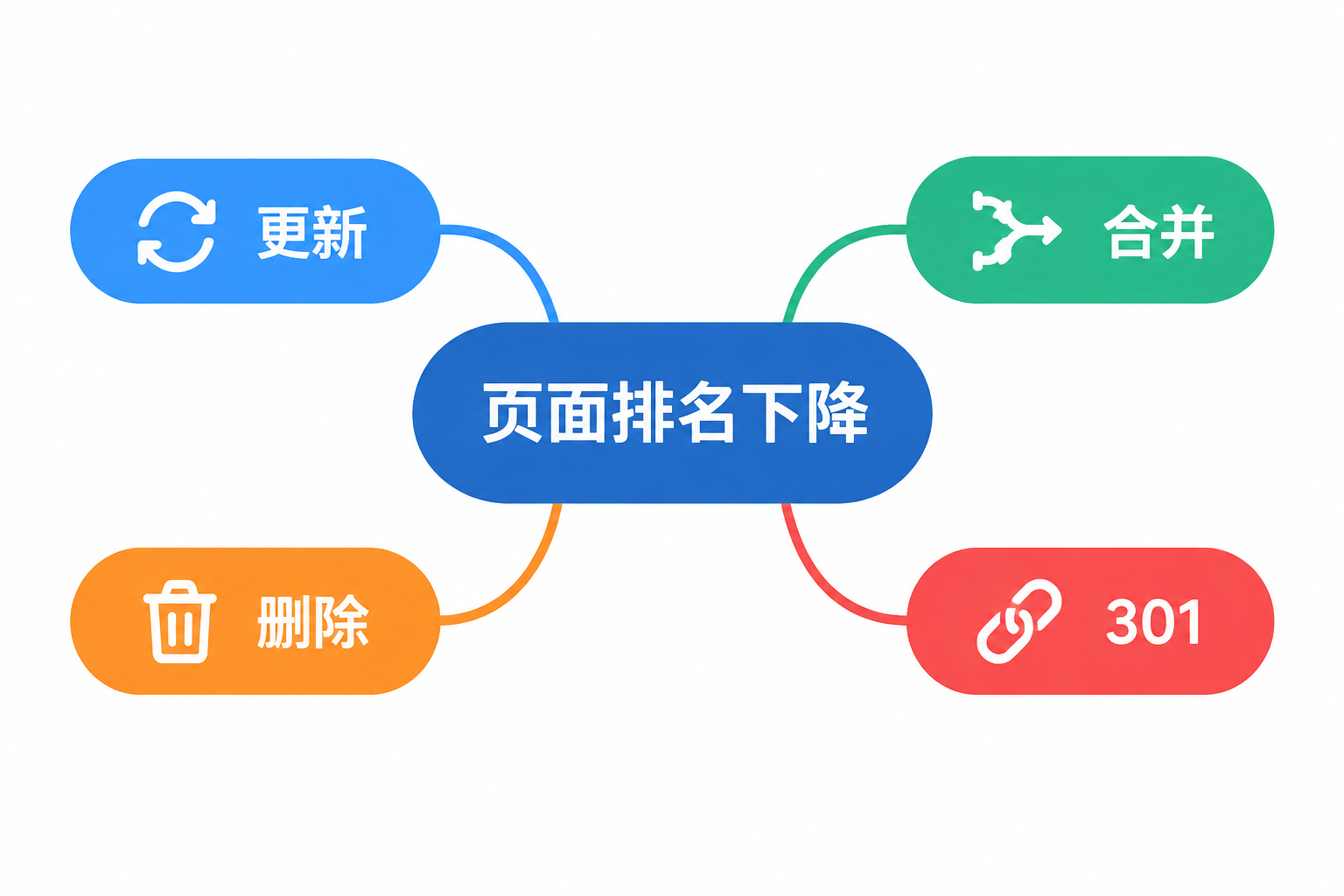
Conditional limit: If the old page still brings in steady inquiries, prioritize updating it rather than rewriting it, even if the content is old. Existing authority and conversion data are real assets, don't throw them away easily.
Changing a URL without setting up a 301 redirect is equivalent to resetting two years of accumulated authority to zero. We've seen more than one site drop by over half in indexation because a redesign lacked redirects.
Pitfall 4: New and old content competing with each other for rankings
Phenomenon: You feel the old article isn't working, write a new one, and publish it. Two weeks later, looking at the data, the old article drops to 20th, the new one is at 18th, and neither makes the first page.
Reason: Google sees two pages under the same domain competing for the same keyword. Uncertain which one to rank, it suppresses both. This is a classic case of keyword cannibalization.
How to avoid it: Before writing new content, search your site to see if there is already a page targeting that keyword. If so, follow the "Merge" path above; if you are certain you want to replace it, the old page must 301 redirect to the new page—they cannot both be online simultaneously. Conditional limit: Coexistence of two contents is only allowed when target keywords are completely different.
Regarding the rhythm of content marketing, our advice is: rather than forcing out new articles every month, it is better to maintain existing stock content first. A site with 30 pages where every page is up to date and accurate holds much higher authority in Google's eyes than a site with 100 pages where 60 are outdated.
Self-Test: Which stage is your content management at?
Compare yourself against the following 4 points and give yourself a score:
- Can you state when the last content update was made on your website? If over 90 days, minus 1 point.
- Are there two or more articles on your site targeting the exact same keyword? If yes, minus 1 point.
- In the past half year, have you implemented 301 redirects or canonical tags? If you changed URLs without doing so, minus 1 point.
- Are your product page parameters consistent with the actual products? If any detail mismatches, minus 1 point.
A full score of 4 means your content management is ahead of most peers. If you lost more than 2 points, it is recommended to prioritize handling existing inventory pages before considering adding new content.
If you are unsure which pages on your site need updating or merging, you can ask us for a content audit checklist and 301 operation samples to go through your backend item by item. For specific needs regarding website building or Google SEO hosting, a detailed quotation will be provided within 1 working day after submission.