
What's on an Independent Site Product Listing Page: Just Follow This 6-Point Checklist
The most common pitfalls for independent site product listing pages are image walls and shared TDK. Launching an independent site with store modules takes 7 to 25 working days, and the part of the timeline that should least be compressed is the listing page's TDK and category structure. This 6-point self-inspection checklist lets you audit existing pages directly by checking whether titles target specific audiences, descriptions merely copy product names, and categories are vertical enough. Matc
目录
- First, let's correct a misconception: A product listing page is not an image wall
- Self-Inspection Checklist Part 1: Does the TDK point precisely?
- Self-Inspection Checklist Part 2: Is category verticality sufficient?
- Decision Tree: Your site format determines how to configure listing pages
- For showcase B2B official websites
- For e-commerce stores with online transactions
- For multilingual site clusters
- In Conclusion: Which situations this checklist does not apply to
An independent e-commerce site with multilingual and store modules takes anywhere from 7 to 25 working days from requirement submission to launch. The one part of this timeline we dare not compress is the TDK (Title, Description, Keywords) and category structure of the product listing pages. Once a listing page goes live, an image-wall style layout will neither retain visitors nor secure good rankings on Google.
Having built foreign trade independent websites for 8 years, we've taken over quite a few sites where product listing pages were reduced to "a row of images plus prices." While the number of pages was high, very few made it into Google's index. The reason isn't technical; it's that the listing page failed to answer one fundamental question from the start: exactly which audience and in what scenario is this page intended for?
First, let's correct a misconception: A product listing page is not an image wall
I often hear the claim that a product listing page only needs product images, names, and prices, while the specific details can go on the product detail page. This logic barely holds up for marketplace store fronts, but it is entirely wrong for independent e-commerce sites.
Incorrect assumption: A product listing page equals images plus prices, and TDK can be filled out casually.
Correction: The titles, descriptions, and keywords of product listing pages must point to specific audiences and scenarios. Bing has dedicated algorithmic considerations for such pages, and Google similarly uses the match between page TDK and user intent for products within the list as a ranking reference. A listing page with only product names and prices effectively surrenders its category authority to competitors.
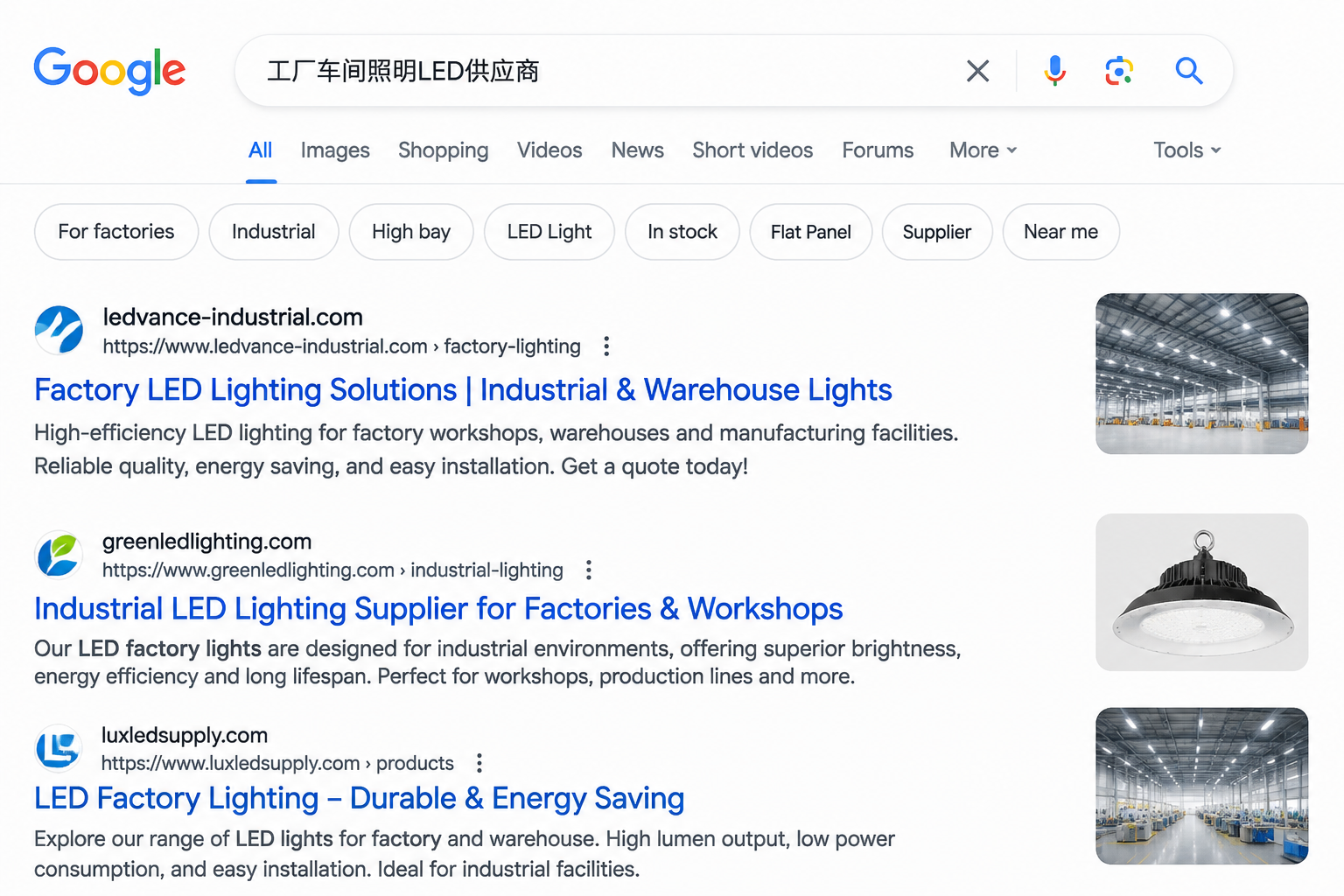
Because search engines determine whether a listing page deserves to rank by checking if it matches the intent of the search query. If your listing page title says "LED Light," but the search query is "factory workshop lighting LED," the intent falls short, and no amount of comprehensive page content will secure a good position.
Self-Inspection Checklist Part 1: Does the TDK point precisely?
You can take this checklist directly to audit your existing pages item by item, with each point corresponding to a common pitfall.
- Does the title include audience or scenario keywords? It shouldn't just be category words. For example, "LED Light Supplier" is better than "LED Light" because "supplier" points to the purchasing audience.
- Is the description just a copy-paste of the product name? The description needs to clearly state what category of products this listing page covers, what uses it suits, and what procurement volumes it targets.
- Are the keywords consistent with the product categories in the list? If a listing page mixes products from different categories, the keyword focus becomes diluted.
If these three items are skipped, subsequent backlinks and content marketing will be hard-pressed to rescue the page. That's because TDK is the first layer of signals a page sends to search engines.
Self-Inspection Checklist Part 2: Is category verticality sufficient?
In the projects we've handled, the most common bottleneck isn't a lack of content, but overly broad categories. When a listing page mixes industrial parts with household gadgets, Google crawls it without knowing which terms the page should match.
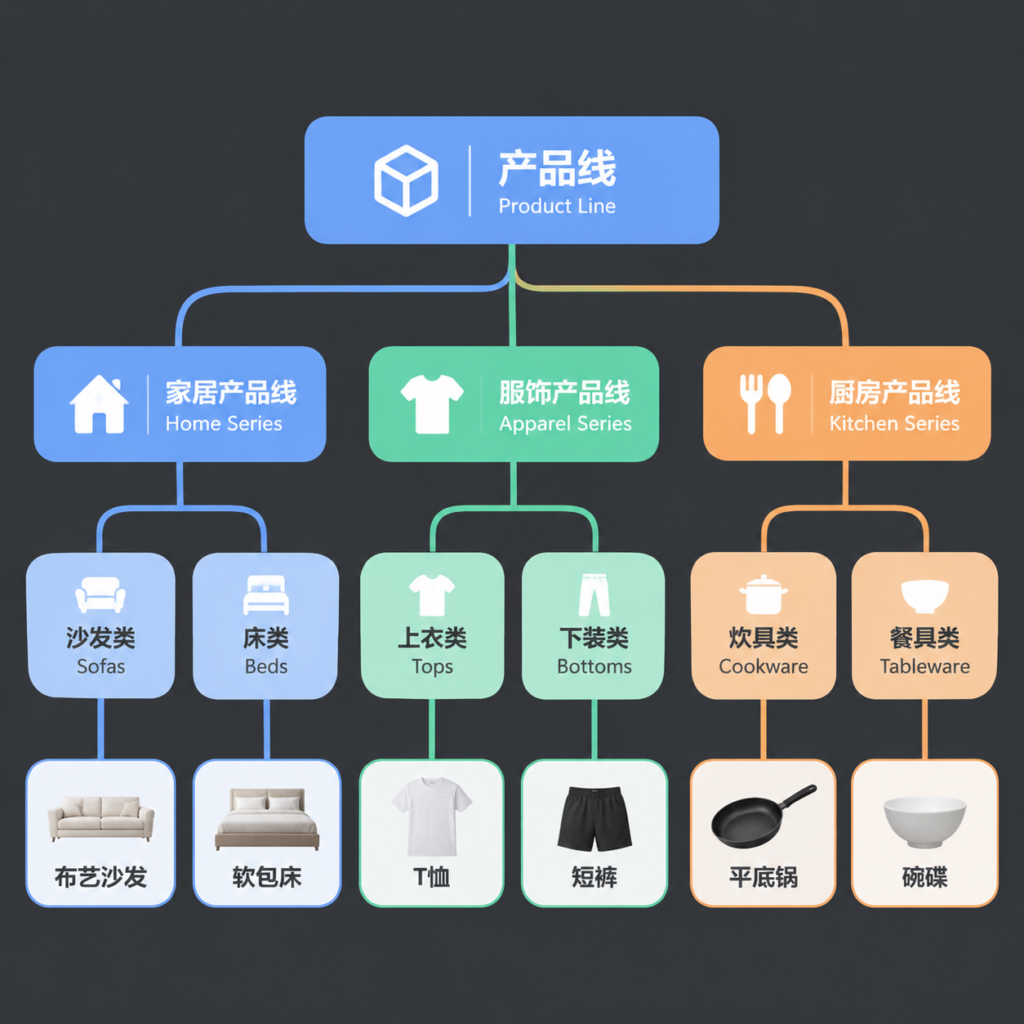
- If product category keywords differ, you must set up corresponding categories and keep them as vertical as possible.
- A single listing page should only handle the display and navigation of one product category.
- Category hierarchy should not exceed three levels, requiring no more than two clicks from the homepage to the product list.
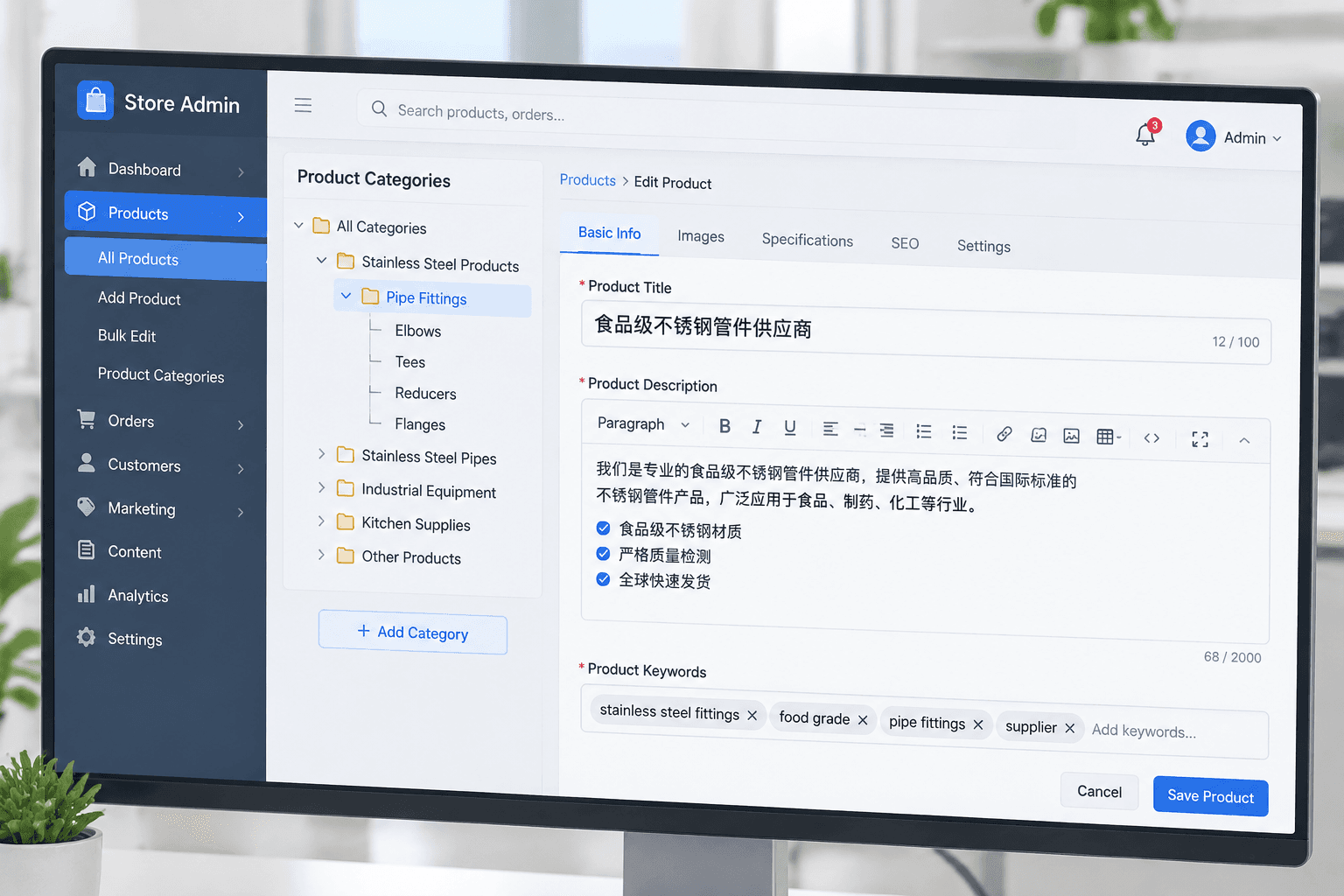
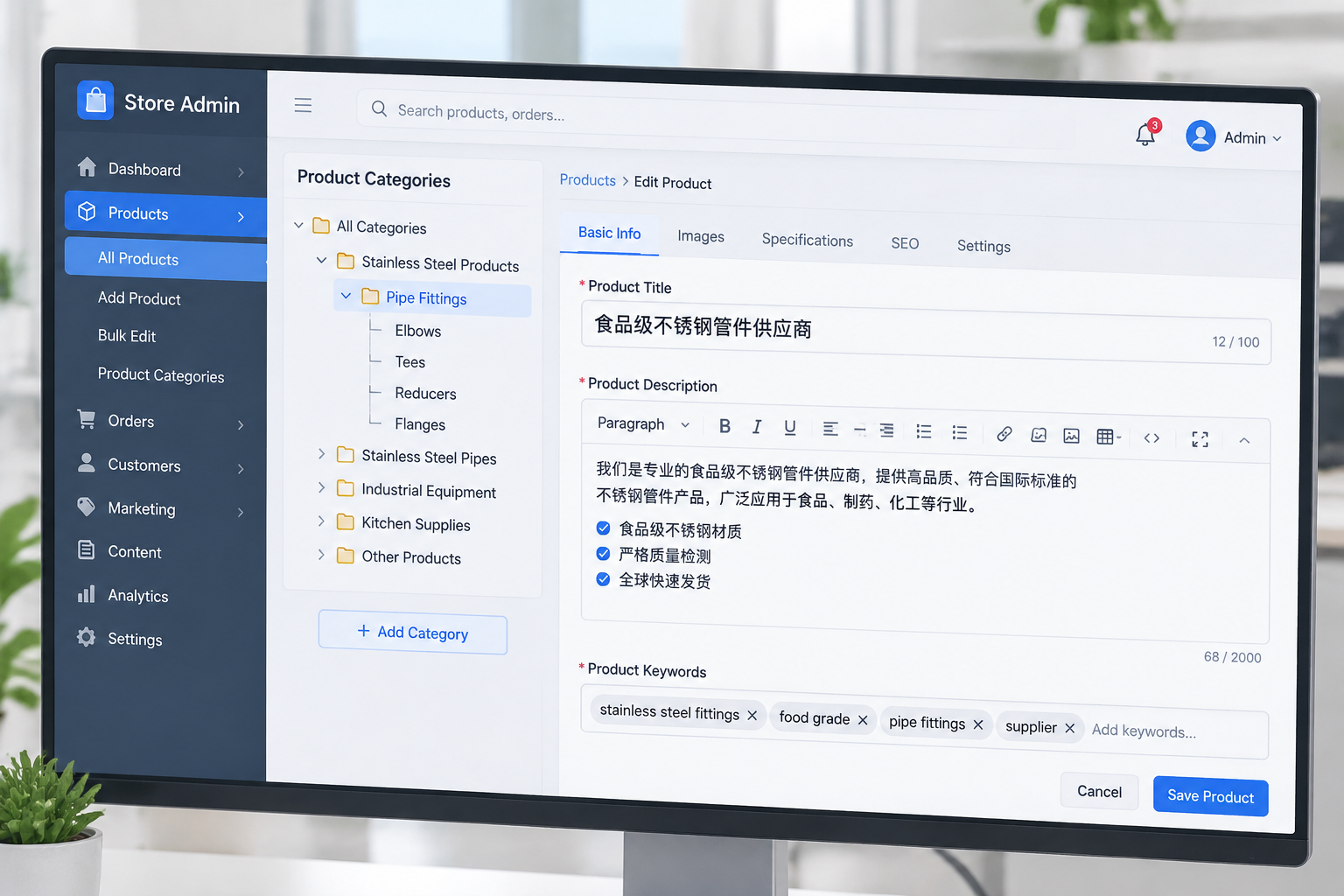
- Each category page must have independent titles and descriptions; a single set of TDK should not be shared across them.
Decision Tree: Your site format determines how to configure listing pages
There is no universal standard answer for listing pages because different site formats entail different tasks for these pages. Find your match among the three scenarios below.
For showcase B2B official websites
The core task of a product listing page is to let buyers quickly judge whether you have the capability to manufacture a specific type of goods. Therefore, listing pages should be vertically split by product line, with one page per category, and titles featuring audience targeting, such as "Food-grade Stainless Steel Pipe Fitting Supplier." As we discussed in the Foreign Trade SEO & Promotion column, the authority of listing pages on B2B sites often outweighs that of detail pages.
For e-commerce stores with online transactions
Listing pages must handle filtering and conversion. Features like filter dimensions, price ranges, and specification parameters need to be fully equipped, but the TDK still shouldn't just be generic category terms. When users search and land from Google, the title they see must correspond to their exact purchasing scenario at that moment. I've broken down all the pitfalls I've encountered in Product Listing Page TDK Pitfalls.
For multilingual site clusters
Listing pages for every language version must have independent TDK and cannot simply be published straight after machine translation. The purchasing scenarios and search queries in German differ from those in English. Language versions should be interlinked using hreflang to pass authority mutually.
In Conclusion: Which situations this checklist does not apply to
If you are still running a marketplace store or haven't built your independent site yet, this checklist isn't useful for you just yet—finish reading Website Building Getting Started & Preparation first. If you've already launched but are using template default product listings, first confirm whether the backend allows modifying TDK and categories; avoid templates where you cannot make these changes.
This checklist is also not suitable for auditing all pages across the entire site; it targets product listing pages exclusively. The optimization logic for homepages and detail pages differs and cannot be blindly copied.