
How to Build a Multilingual Foreign Trade Store: 3 Criteria and a 7~25 Working Day Schedule
Are you still using an English website to handle inquiries from German and Spanish customers? A multilingual foreign trade store cannot be solved by a simple translation plugin; it needs independent URLs, localized payment and logistics, and clear footer navigation. To judge whether it's worth doing, look at only 3 criteria: determine languages by order proportion, make URLs indexable, and synchronize checkout information locally. Following this rhythm, a site containing multilingual and e-comme
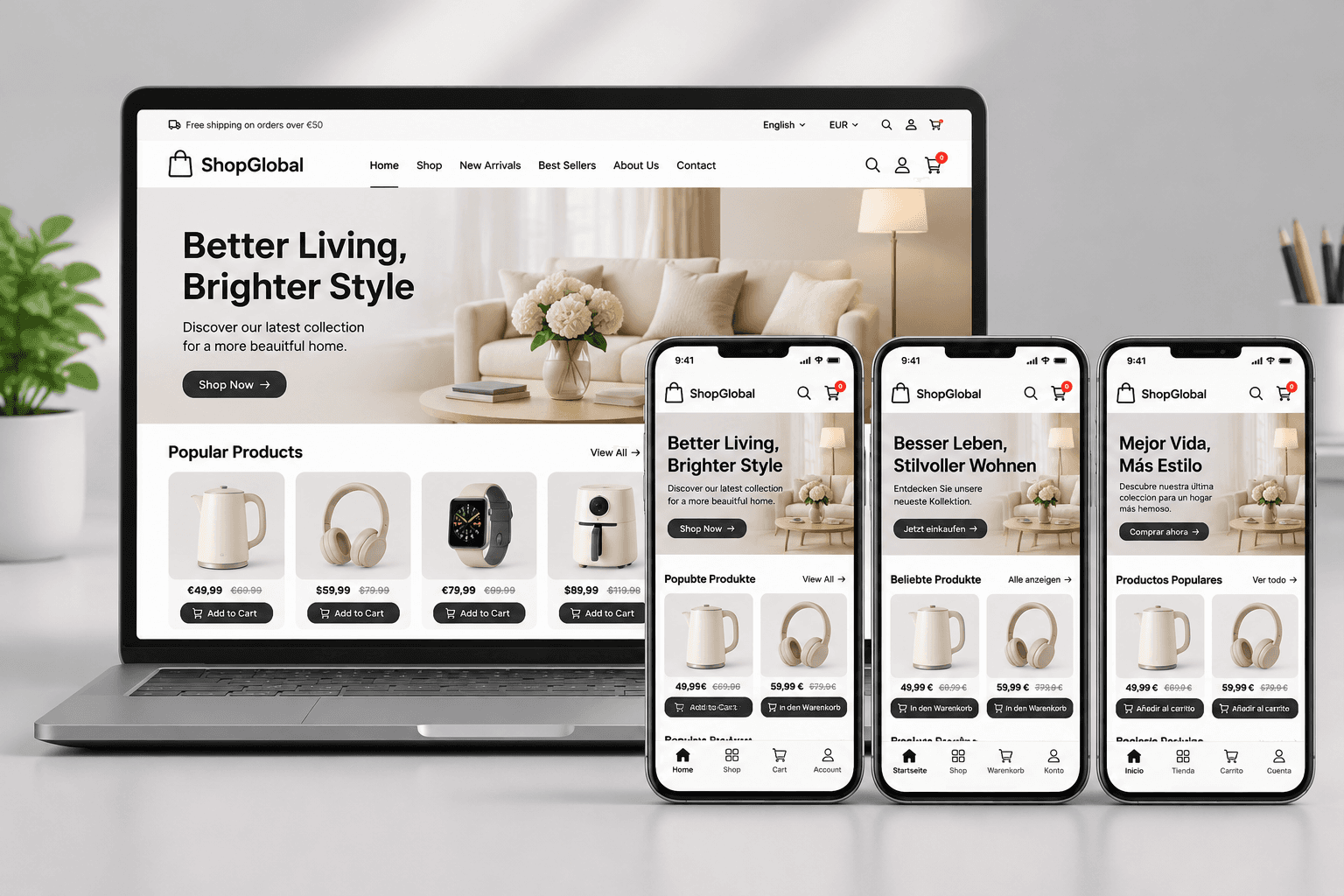
On the last day of the Canton Fair, Lao Zhou, who deals in hardware tools, closed his notebook, his brow still furrowed. He had three business cards from the exhibition: a German customer asked him for a German product page and euro settlement, a Spanish customer asked him to send a Spanish-language quote, and a Brazilian customer bluntly said that their website got stuck halfway through placing an order because the shipping options were incomprehensible.
It wasn't that his original English website was unusable, but when it comes to the e-commerce store stage, language is more than just translating product names.
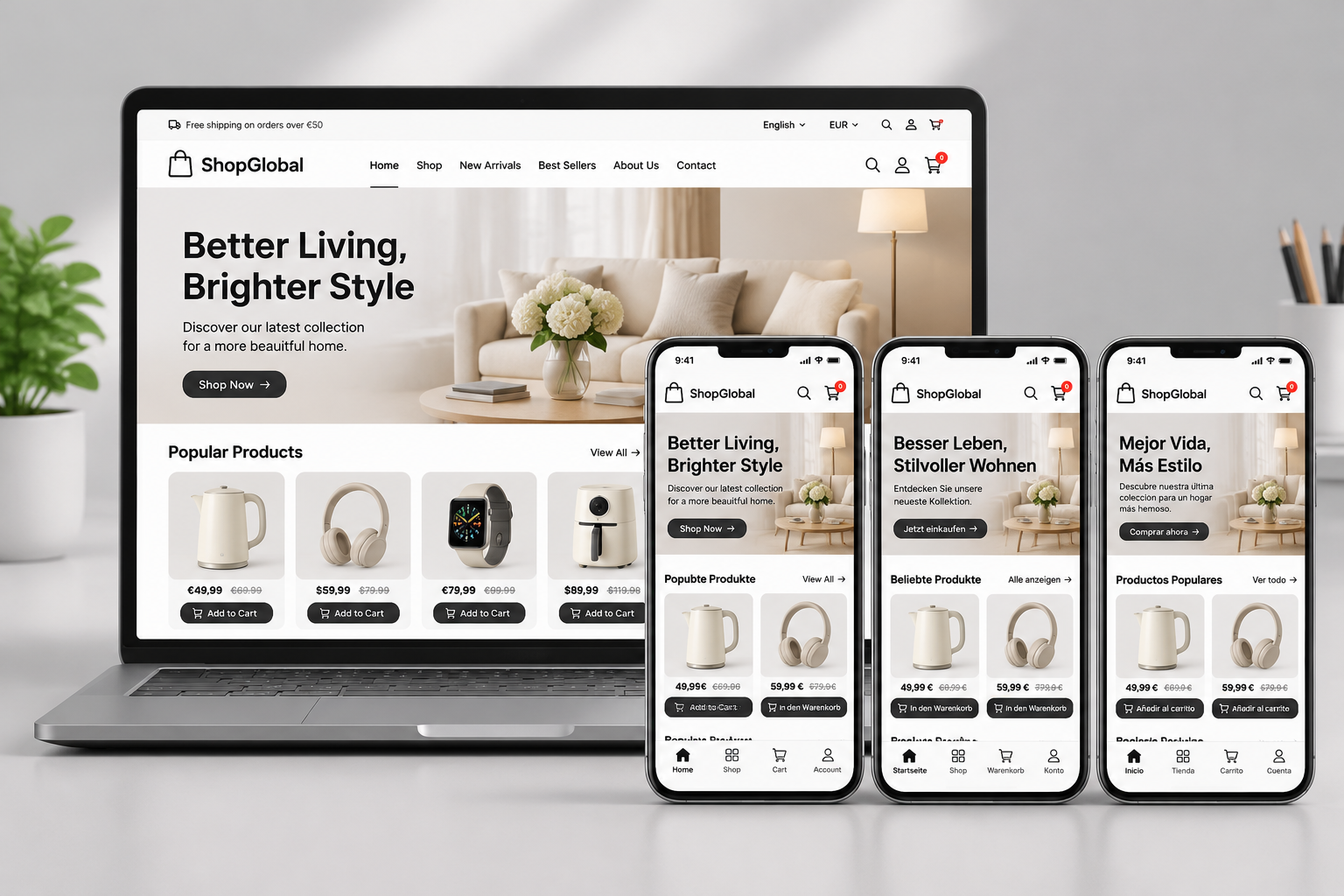
Multilingual foreign trade e-commerce store: in our line of work, we understand this as: the same set of product data, split into multiple localized presentation layers. Language switching is not just changing UI text; each language version must have an independent URL, independent titles and descriptions, and matching currency and logistics rules.
We previously discussed the difference between translation plugins and independent language versions, but the e-commerce scenario requires looking one layer deeper. Translation plugins can only swap out text; the currency in the checkout page, taxes, local payment methods, and shipping times remain unchanged. When a German customer sees a price in euros, but it switches back to US dollars at checkout, that cart abandonment will happen very decisively.
Check 3 Standards First Before Deciding How to Implement Multilingualism
Many bosses ask right away how many languages are appropriate. My answer is not a number, but three judgment criteria.
- Determine languages by order proportion: Do not roll out 8 languages right off the bat. Start with English plus one high-intent minor language, such as German or Spanish. Each language requires maintaining product descriptions, after-sales emails, and policy pages, so maintenance costs increase linearly.
- Each language version must be independently indexable: The URL structure must be clear and cannot all be crammed into a single page relying on JS for switching. If this is not done well, Google indexing will directly encounter issues, and multilingual pages may be treated as duplicate content. For relevant configurations, you can refer to The Correct Way to Write Multilingual hreflang: A Configuration Checklist You Can Copy Directly.
- Checkout and logistics information must be localized in sync: It's not just about translating product names. The German site needs Euros and SEPA transfers; the Spanish site might need COD; logistics instructions must clearly state DDP or DAP. If this layer cannot be achieved, all the previous language work is in vain.
Among these three standards, the easiest one to trip over is the second. We worked on a project where the client previously used a SaaS template to launch 6 languages, with product page URLs all looking like /product?id=123. Switching languages just meant changing parameters, and Google simply couldn't tell which page corresponded to which country. When rebuilding later, we first tore down the URL structure to rescue the indexing.
The table below clearly lists the common mistakes and delivery practices for the three standards.
| Check Item | Common Mistake Practice | Our Delivery Standard |
|---|---|---|
| Language Planning | Launching 8 languages right away with all content machine-translated | Start with 2~3 high-intent languages with manually proofread product descriptions |
| URL and Indexing | Single URL parameter switching relying on JS translation | Independent language directories + hreflang tagging |
| Payment & Logistics Localization | Only translating product pages while checkout remains USD and English | Currencies, payment methods, and logistics instructions matching the language |
You can take this table directly to check against your existing website. If two out of the three items fail, the conversion rate of your multilingual store is unlikely to go up.
Footer Navigation: A Spot Multilingual Stores Must Not Miss
When conducting project acceptance, I have a habit of dragging the page all the way to the bottom. The footer of a multilingual store is not just a place for a copyright notice; it is equivalent to handing a map to both visitors and search engines.
The footer navigation must include the following so you can check them off one by one:
- Language switcher: Placed in the footer of every language version page, not just on the homepage. Visitors can switch from any page, and search engines can also crawl all language versions by following the links.
- Policy page entry: Returns, privacy, and terms must have localized versions for each language. The terms for the German site must not link to the English page.
- Social media entries: Facebook, LinkedIn, and Instagram placed according to the target market. Search engines give extra points for such social entries, and they also make the site structure more complete.
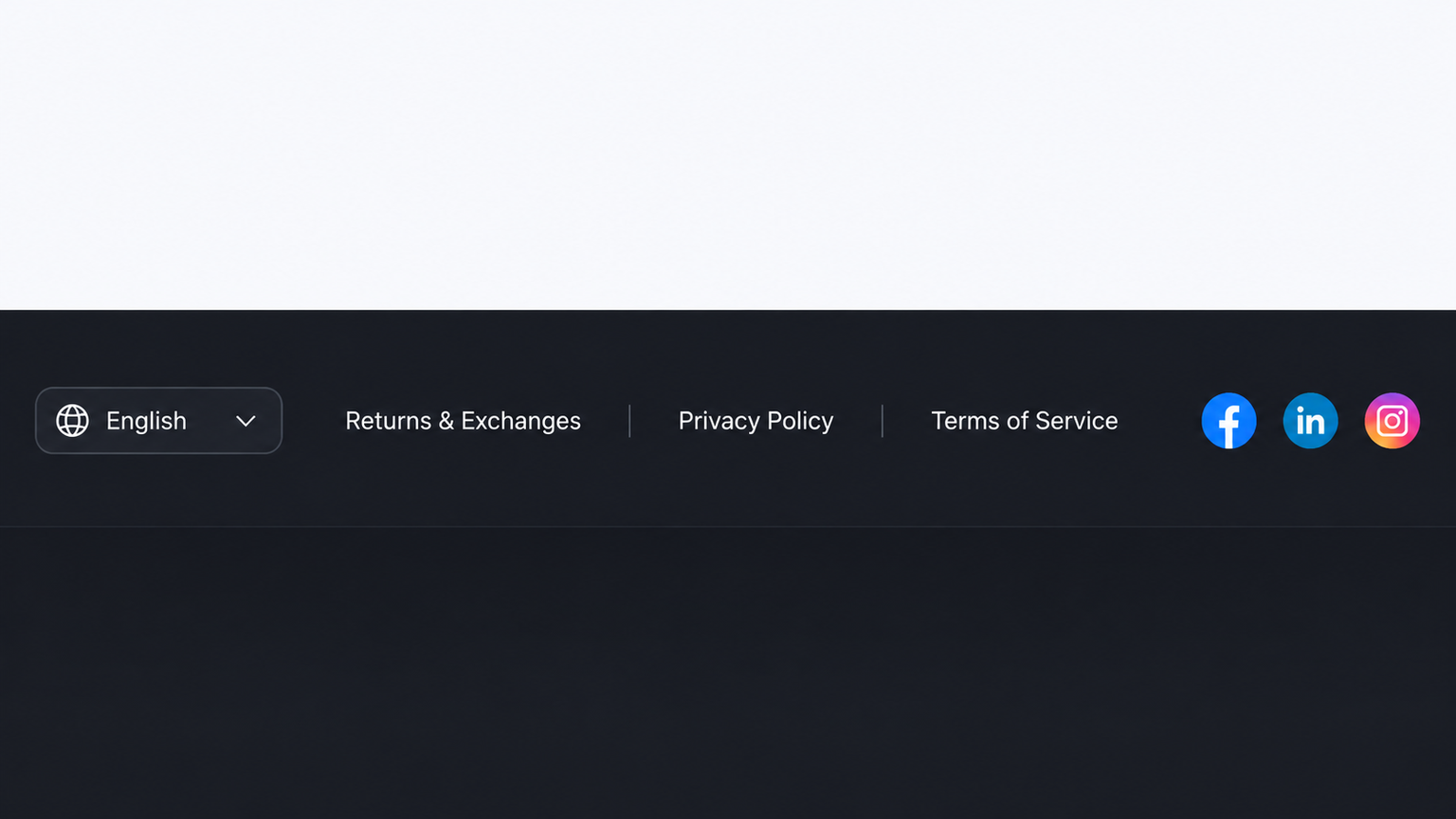
If the footer navigation of a multilingual store only has a language switcher, search engines will consider your site structure incomplete; if visitors scroll to the bottom and don't know where to go, the bounce rate will also increase.
The multilingual stores we deliver are always equipped with three things in the footer: language switching, policy pages, and social entries. This detail does not affect the aesthetics of the homepage, but it affects whether the entire site can be fully crawled.
Starting Today, How to Schedule the Timeline
If you already have inquiries getting stuck due to language issues, don't drag it out until the next exhibition. Follow this timeline:
- Today: Organize target markets, languages, and product catalogs, and clearly list which customers need to place orders directly.
- Tomorrow: Send over your requirements and get a detailed quote within 1 working day, clearly stating where every item's cost goes.
- Day 2: Confirm languages, page structures, payment and logistics touchpoints, and lock in the design prototype.
- From Day 3: Content population and multi-language landing, followed by remote previews.
- Days 7~25: Go live and submit for indexing, complete the footer navigation and social entries.
Specific quotes for multilingual foreign trade stores depend on the site format, number of languages, and functional touchpoints. You can first check the Foreign Trade Independent Station Construction Service List before sending your requirements, and we will evaluate based on your actual configuration.
In this process, the most expensive time is not development—it's waiting. By the time a customer asks a second time, a language issue has already turned into a trust issue.