
Why Website Editors Determine Future Modification Costs: The Three-Layer Structure Breakdown
Layout failures when updating product images aren't random. Your website editor determines your future modification costs from day one—whether edits take minutes or hours of rework, and whether your content belongs to you or is locked in a system. We break editor costs down into three parts: the editor itself, template compatibility, and team learning/migration. Take the next step by testing your current site on three operations to ensure your editor can handle long-term operations.

目录
- The Editor Determines Modification Costs: Let's Look at Where It Gets Stuck
- Costs Aren't Just About Buying the Editor: Breaking Down Three Hidden Accounts
- Choosing the Wrong Editor for a Multi-Language Site Directly Causes Duplicate Content and Keyword Cannibalization
- Long-Term, Editors Lock Down More Than Just Operations—They Lock Down Your Content Assets
You open your website backend to update a main product image, only to find that dragging it misaligns the description, price, and buttons all at once. You click undo, only to realize you can't even get it back to the way it looked originally. This scenario is something we frequently encounter when building independent cross-border e-commerce sites. The problem rarely stems from the person operating the site; rather, it is planted the day you choose your website builder's editor.
In our industry, we are accustomed to defining a website builder editor as the operating interface where you directly modify pages, products, and articles in the backend. While it may look like nothing more than drag-and-drop tools and input boxes, it actually determines whether your future edits take minutes or require hours of rework.

You might ask: isn't an editor just a backend interface? Can it really impact long-term costs? And what do these costs have to do with the way you build your site right now? I will answer these three questions one by one based on our project experience.
The Editor Determines Modification Costs: Let's Look at Where It Gets Stuck
Think of an editor in three layers: the content layer handles text, images, and prices; the template layer handles where this content is placed, spacing, and mobile layouts; and the code layer handles the final output sent to the browser. Depending on how these three layers relate, the type of editor varies.
Pure visual drag-and-drop editors bind the content layer and template layer together—drag an image, and the template changes with it. Block editors cut content into independent blocks, each with its own boundaries. Code editors, on the other hand, hand all three layers completely over to you.
Cause and effect: The more tightly an editor binds these three layers, the more likely every minor change will have a ripple effect, driving up the cost of modifying the site later.
Whether the backend feels smooth to operate depends on whether the editor cleanly separates these three layers. This also explains a phenomenon we often encounter: within the same SaaS system, some people use it smoothly, while others experience a breakdown with every single edit. The difference lies in module boundaries.
Costs Aren't Just About Buying the Editor: Breaking Down Three Hidden Accounts
I never just look at the list price of a website builder editor—that number is so small it can even cause misjudgment. The real money sinks come later. I'll break them down in the order we usually encounter them in our projects.
- First: Licensing and subscription costs. SaaS website builders charge monthly or annually, while open-source editor plugins, extensions, and commercial licenses may also be priced separately. This is the most obvious cost, but usually not the largest.
- Second: Template and block compatibility costs. What editors call "free" often comes with a limited set of templates. The product filtering, multi-language switching, and custom fields you need will all require purchasing blocks or plugins. Plugins frequently conflict with one another, and resolving a single conflict can take half a day.
- Third: Personnel learning and migration costs. The weirder an editor's structure, the longer your operations team takes to learn it. When you realize it can no longer handle your business and you want to migrate your content, the exported data is often a complete mess.
Add these three together, and you get the true cost of a website builder editor. Focusing solely on the subscription price means missing the two most expensive parts.

In the projects we've handled, the most common bottleneck isn't that clients can't afford the editor, but rather that they used a seemingly lightweight editor. They felt nothing for the first three months, but by the fourth month, when they needed to add multiple languages, inquiry forms, or homepage modules, they found everything required an extra purchase—or forced us to rebuild the entire structure from scratch.
Choosing the Wrong Editor for a Multi-Language Site Directly Causes Duplicate Content and Keyword Cannibalization
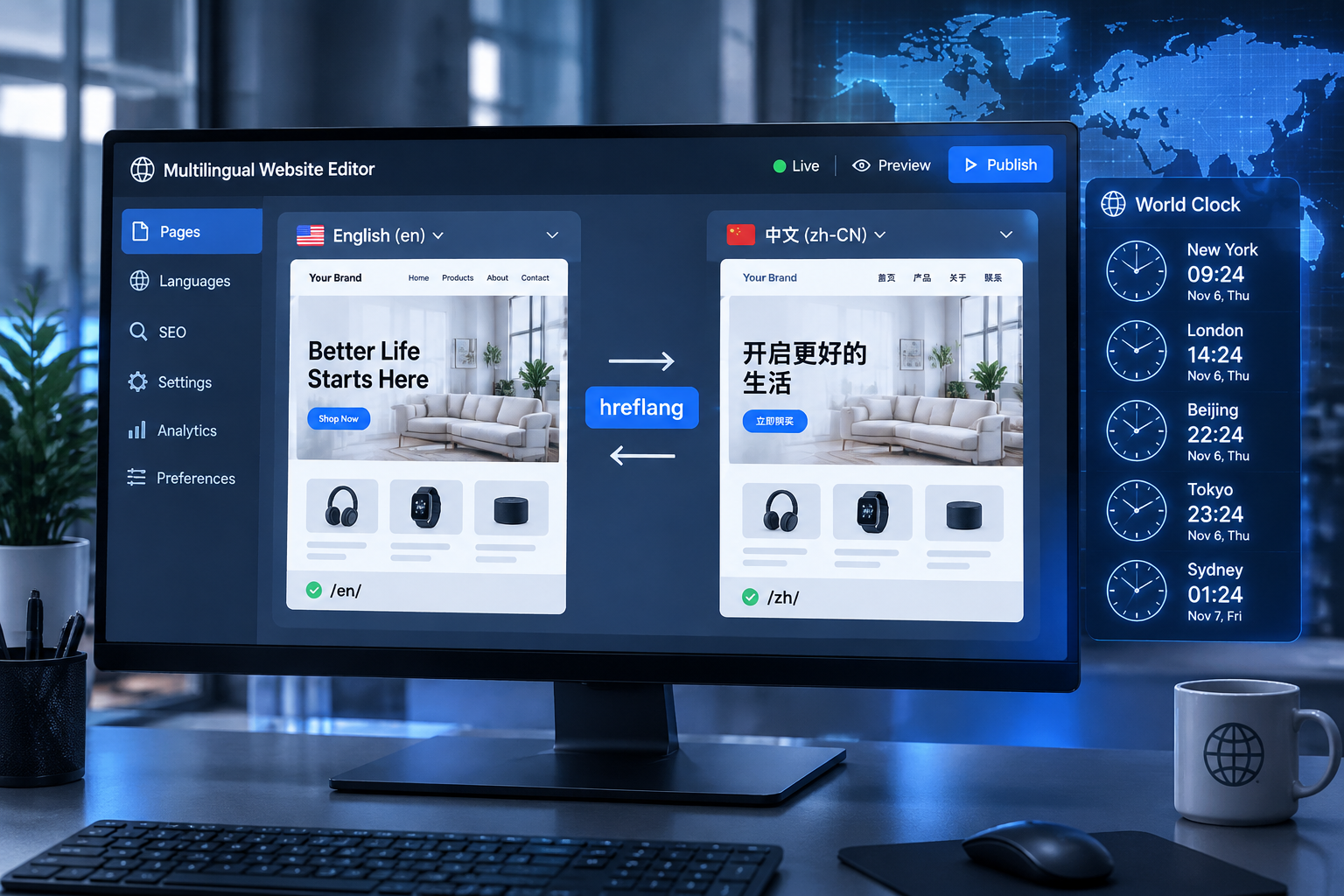
If a website builder editor simply copies pages across multiple languages without clearly marking the relationships between different language versions, Google will easily mistake the English and Chinese versions for two pages competing against each other for rankings. When we build multi-language sites for foreign trade ourselves, we require the editor to output correct hreflang and canonical pairs instead of replacing them with automatic redirects.
Automatic redirects send visitors to the corresponding page based on their browser language, which sounds convenient, but search engine crawlers do not always pass along a browser language, resulting in a chaotic structure. If multiple languages of the same content lack hreflang mutual pointing and proper canonical tags, you are essentially competing against your own pages for the exact same keywords.
There is also an easily overlooked localization issue here: British and American terminology, units, sizes, and currencies must all change according to the region. If an editor can only store one set of fields, and changing the language only swaps out surface text while pricing units remain wrong, the page content becomes a mismatched chimera. When designing site architecture, we often recommend figuring out the separation of content and presentation in CMS website building first, and then checking whether the editor can support multi-language fields.
Long-Term, Editors Lock Down More Than Just Operations—They Lock Down Your Content Assets
You might ask: if we choose the wrong editor, can we just switch to another one later? Of course you can, but the cost is much higher than doing it right from the start. Page reconstruction, content migration, URL redirection, and stabilizing search indexing all over again—this entire process is often more grueling than building a brand new site from scratch.
Cause and effect: A website builder editor isn't just a UI choice; it determines whether your content can be freely moved over the next three to five years, whether your team can make their own edits, and whether multi-language versions can be maintained long-term.
Therefore, when evaluating a website building project, we treat the editor as infrastructure just as important as the server and domain name. For clients using WordPress, we check whether its block editor is customized to output clean structures; for clients using self-hosted sites, we verify that the backend editor does not lock business data into proprietary formats.
You can run a simple test right now: open your backend, try updating a product image, adding a multi-language page, or copying a product description to a new page. If any of these three tasks takes more than ten minutes or causes layout distortion, you can basically conclude that the editor is eating up your operational time.
Conclusion: The true cost of a website builder editor lies far beyond its subscription price. Once you understand the relationship between the content layer, template layer, and code layer, and establish your multi-language architecture in advance, you won't be dragged down by your editor later. Looking at the big picture for the long term, choosing an editor is really about deciding whether you call the shots for the next three years.