
What systems are available for B2B website building? Fixating only on WordPress and Shopify will make you miss half your options
If you still limit B2B website building systems to just WordPress and Shopify, you are prone to making the wrong choice. I break systems down into four categories based on deployment permissions and subsequent remodeling costs: SaaS, open-source, custom development, and legacy template retrofitting. A system doesn't just determine what the backend looks like; it also impacts your ability to modify content, export data, and your autonomy over Google crawling and indexing after launch. Distinguish
目录
- First, split "B2B website building systems" into four categories instead of fixing your eyes on just two names
- SaaS and open-source systems differ in three aspects regarding cost and permissions
- Crawling and submission should be factored in when selecting a system
- Filter out systems based on your business, not on price quotes
When you open a competitor's website, can you tell whether it runs on WordPress, Shopify, or a custom system?
Do you know which system allows you to modify your product pages and categories yourself, and which requires you to wait for a service provider's schedule?
Are you aware of how much control you have over Google crawling and indexing after different systems go live?
If you are unsure about all three questions, don't rush into choosing a system just yet.
First, split "B2B website building systems" into four categories instead of fixing your eyes on just two names
Conclusion: B2B website building systems do not refer solely to WordPress or Shopify. Instead, they are divided into four categories based on deployment permissions and subsequent remodeling costs.
In our line of work, we are used to understanding "B2B website building systems" as three layers: the website software itself, the backend content management capabilities, and the corresponding deployment and maintenance methods. If you only try to apply the names WordPress and Shopify, you will miss half of your available options.
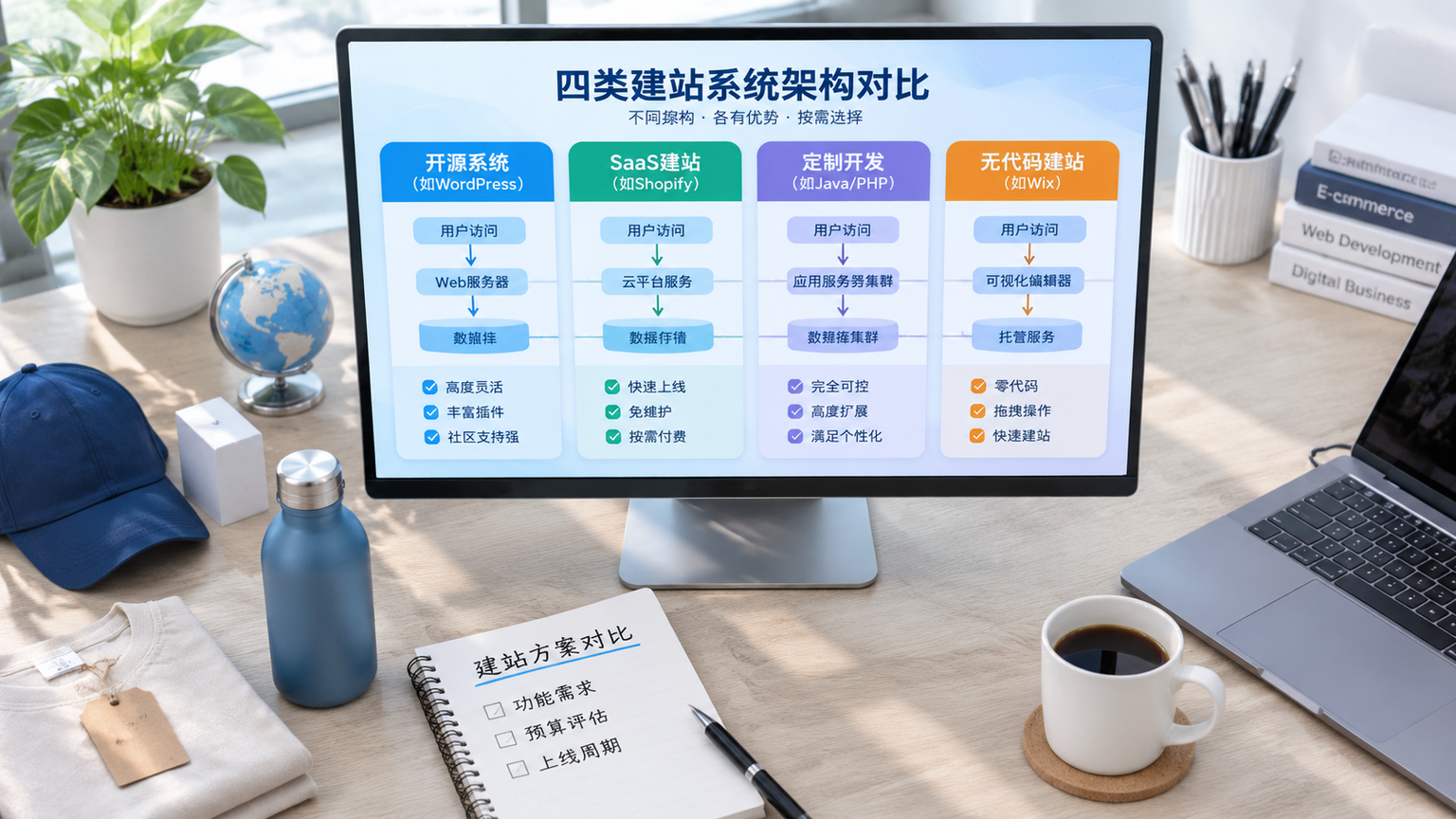
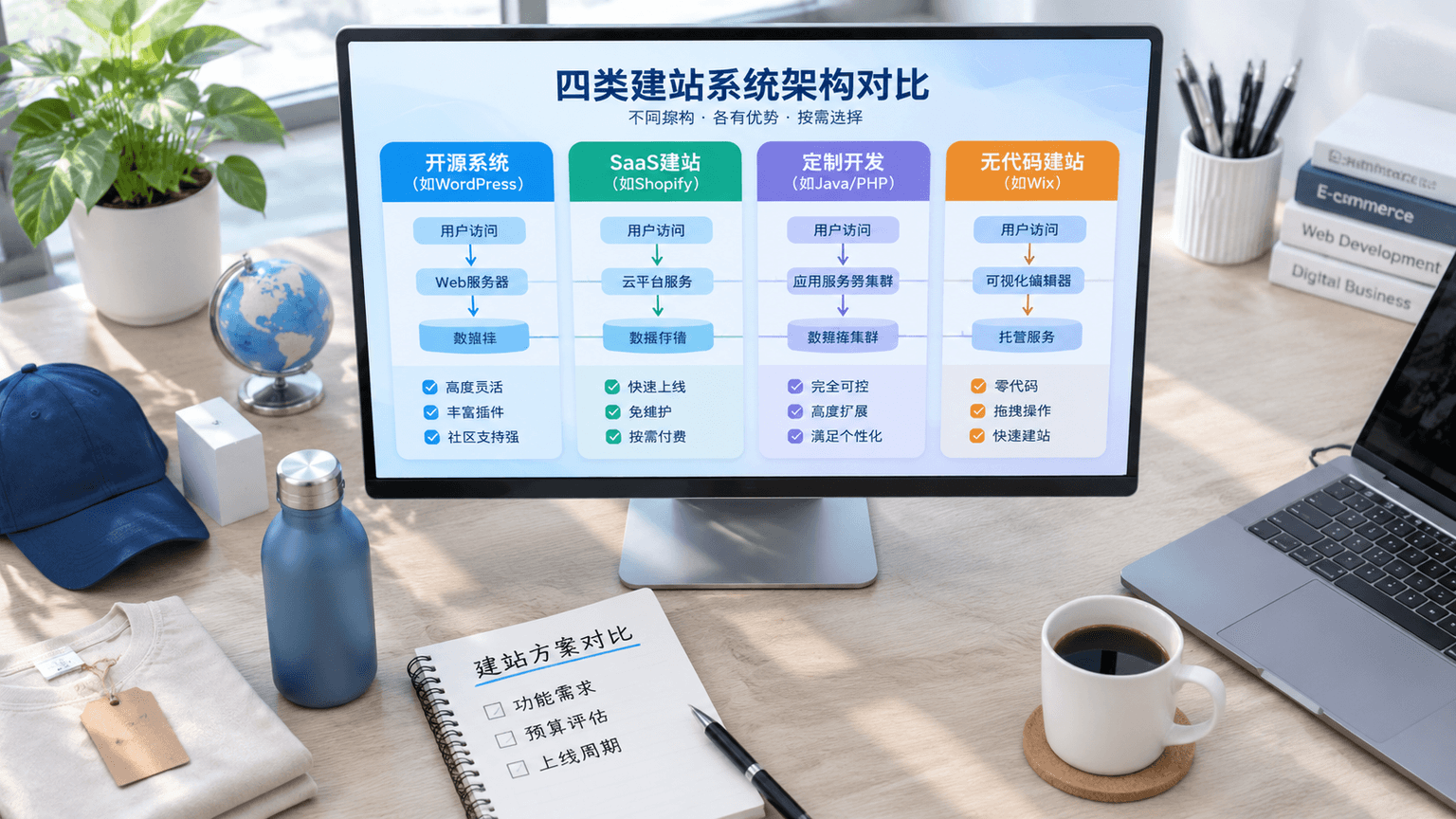
From the projects I've handled, they can generally be divided into four categories:
- SaaS Website Building Systems: The system provider hosts the server, you pay monthly or annually, and it is ready to use out of the box.
- Open-Source Website Building Systems: Represented by WordPress, with open-source code where you own the server and data.
- Custom Development Systems: Frontends and backends are rewritten based on business needs, suitable for projects with internal system integration requirements.
- Legacy Template Site Retrofitting Systems: Migrated from older DedeCMS or EmpireCMS style sites; they have high maintenance costs but still exist in the market.
The rationale is: depending on the system category, there will be huge differences in whether you need to go back to the original vendor for future redesigns, whether your data can be exported entirely, and who calls the shots on the server. Therefore, asking about the system category when requesting a quote is much more useful than just asking for the price.
SaaS and open-source systems differ in three aspects regarding cost and permissions
Conclusion: SaaS website building systems save on maintenance costs, but often fail to save you from subsequent scheduling queues and API limitations; open-source systems require more hassle upfront, but offer higher autonomy later on.
In the projects I handle, the debate clients struggle with most is between SaaS and open-source. On the surface, SaaS systems wrap up servers, security, and version updates, allowing you to use them right out of the box, whereas open-source systems require you to manage servers, plugins, and theme updates yourself. However, as you dig deeper, the differences center around three things.
- Content Modification Rights: Most SaaS systems only allow you to modify modules permitted by the template, leaving the structure unchangeable; open-source systems theoretically allow every page to be altered.
- Data Export Rights: When you want to export products, orders, and articles as a whole in a SaaS system, you often only get an incomplete CSV file; open-source systems keep the database in your own hands.
- API Integration Rights: When connecting to ERP systems, logistics tracking, or multi-currency payments, SaaS systems may not necessarily open up their APIs, and some require a paid upgrade to a higher tier plan.
If you haven't even figured out the separation of CMS content and presentation layers, you might easily mistake whether the backend can change images for system flexibility. The article What is CMS Website Building? Separating the Content and Presentation Layers explains this very straightforwardly and is worth reading together.
How to choose? My judgment is: if content updates are infrequent and the site is primarily for display, SaaS will do; if content requires continuous SEO and you might connect internal systems later on, open-source or custom development is more reliable.
Crawling and submission should be factored in when selecting a system
Conclusion: If you choose the wrong system, the first bottleneck you hit is often not the backend interface, but whether search engines can smoothly crawl the site after it goes live.
Why say that? Because different systems have different levels of control over robots.txt, sitemaps, and server logs. SaaS website building systems often lock down robots.txt or don't let you modify root directory rules, while open-source and custom systems allow you to split sitemaps according to your site structure. When submitting a new site, we have seen many systems block CSS, JS, and images by default, meaning Google cannot see the true appearance of the pages, rendering all upfront rendering and configuration work useless.
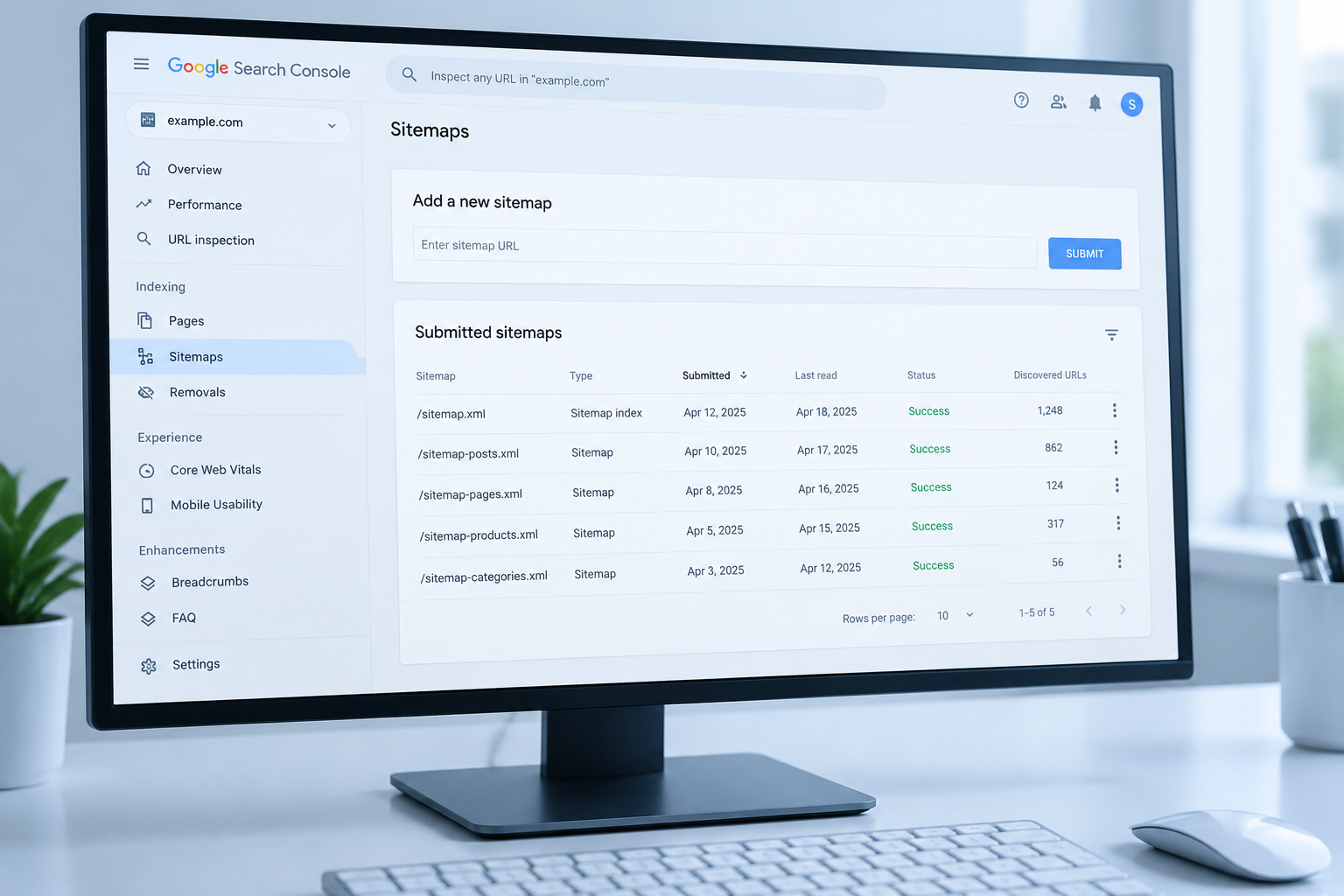
Here is a common misconception to correct: Submitting a sitemap does not equal indexing, and indexing does not equal ranking. The latter two can only be earned through page quality and subsequent promotion; the system only paves the way.
A quick reminder: Do not disallow CSS, JS, and image directories in your robots.txt. That is not protecting privacy; it is blocking search engine indexers.
A sequence you can follow:
- Check robots.txt on launch day to ensure CSS, JS, and image directories are not accidentally blocked.
- Split sitemaps into sections by product pages, article pages, and multi-language versions rather than cramming them into a single massive file with hundreds of thousands of entries.
- Prioritize active pushing for new pages and recently modified pages, and don't waste your quota on refreshing old site-wide links.
The complete steps are outlined in order in the article How to Do Google SEO for B2B Independent Sites, which is ideal for checking things off after going live.
Filter out systems based on your business, not on price quotes
Conclusion: When choosing a system, first look at your content update frequency and whether you need online transactions, then look at the tech stack and price quotes.
The logic is simple: B2B showcase websites pursue page flexibility and SEO autonomy, while e-commerce websites require payment integration and stable product logic. Their requirements for a system do not follow the same set of standards.
You can filter them using this sequence:
- First, write down clearly how many products and articles you need to update each month, and whether modifications will be handled by one person or several people.
- Next, confirm whether you need online transactions, multi-currency support, or logistics tracking. If you don't need these, there is no need to pay extra for e-commerce modules.
- Finally, ask the service provider: Can I modify content myself? Can data be exported as a whole? Can robots.txt and sitemaps be modified independently?
The counterexample is quite straightforward: I once saw a factory adopt a certain SaaS system first, only to find that the APIs were locked down when they later wanted to integrate an ERP and add multi-language support, ultimately forcing them to scrap everything and start over. A system isn't better just because it's easier; it's better the more capable it is of accompanying your business to the next stage.
If you're unsure, send over your current business status and the answers to the three questions above, and I will help you figure out which category of system you can avoid touching.